Featured image for BMW X1 gear selector
Image source: i.ytimg.com
Mastering how to put a BMW X1 in reverse is easy once you understand the electronic gear selector. This guide walks you through the exact steps for every model year, explains the dashboard indicators, highlights common mistakes to avoid, and shares essential safety tips for smooth, confident driving.
Getting into a new car can feel like learning a new language, especially when the gear shifter doesn’t look like a traditional stick. If you are staring at the center console of your BMW X1 wondering how to simply back out of a driveway, you are not alone. BMW uses an electronic gear selector that operates differently than the mechanical levers found in most other cars. It is counter-intuitive at first, but once you learn the logic, it becomes second nature.
This guide covers everything you need to know about how to put a BMW X1 in reverse. We will break down the step-by-step process for every generation, explain the dashboard lights you need to watch, troubleshoot common issues, and share pro tips to make parking and reversing safer and smoother.
Key Takeaways
- Electronic Shifter Logic: The BMW X1 uses a joystick-style selector where you push the lever forward to engage Reverse (R), regardless of model generation.
- Brake Pedal Requirement: You must press the brake pedal firmly before the transmission will allow a shift into Reverse or Drive.
- Dashboard Confirmation: Always verify the “R” indicator illuminates in the instrument cluster and the backup camera activates before releasing the brake.
- Model Year Nuances: While the shifter motion is consistent (push forward for R), the physical design changed from a stalk (E84/F48 early) to a toggle switch (U11/newest).
- Park vs. Reverse: The Park (P) button is separate—usually on the side or top of the selector—do not confuse it with the gear positions.
- Safety First: Use the Parking Assistant and surround-view cameras standard on newer models to maneuver safely in tight spots.
- Maintenance Matters: Keep transmission software updated and fluid changed per schedule to prevent shifting hesitation or faults.
📑 Table of Contents
- Understanding the BMW X1 Electronic Gear Selector
- Step-by-Step: How to Put a BMW X1 in Reverse
- Dashboard Indicators and What They Mean
- Common Mistakes and How to Avoid Them
- Model Year Specifics: Deep Dive
- Safety Features That Help You Reverse
- Maintenance Tips for Smooth Shifting
- Troubleshooting: “My X1 Won’t Go Into Reverse”
- Pro Tips for Confident Reversing
- Comparing X1 Shifter Generations
- Why BMW Designed It This Way
- Teaching a New Driver (or Spouse) the X1
- Frequently Asked Questions
- Conclusion
Understanding the BMW X1 Electronic Gear Selector
Before we get into the specific steps, it helps to understand what you are touching. The BMW X1 does not have a mechanical linkage between the shifter and the transmission. Instead, it uses an electronic selector (often called a “joystick” or “toggle switch”) that sends a signal to the transmission control module.
The “Counter-Intuitive” Logic
This is the number one reason drivers get confused. In a traditional car, you pull the lever back toward you to go in Reverse. In the BMW X1, you push the lever forward (away from you) for Reverse.
- Push Forward (Away): Reverse (R)
- Pull Back (Toward You): Drive (D)
- Press Button (Side/Top): Park (P)
- Center Position: Neutral (N)
Think of it like a video game joystick or a drone controller. Pushing “up” on the screen usually moves the view forward, but here, pushing the lever forward puts the car in Reverse. It takes a few days to build the muscle memory.
Generational Differences: E84, F48, and U11
The BMW X1 has spanned three distinct generations. The shifter hardware looks different, but the push-forward-for-reverse logic remains the same.
First Generation (E84: 2009–2015)
This model uses a traditional-looking stalk mounted on the right side of the steering column (column shifter). It looks like a standard wiper/turn signal stalk but thicker. You push the stalk forward for Reverse and pull back for Drive. The Park button is a separate “P” button on the end of the stalk.
Second Generation (F48: 2015–2022)
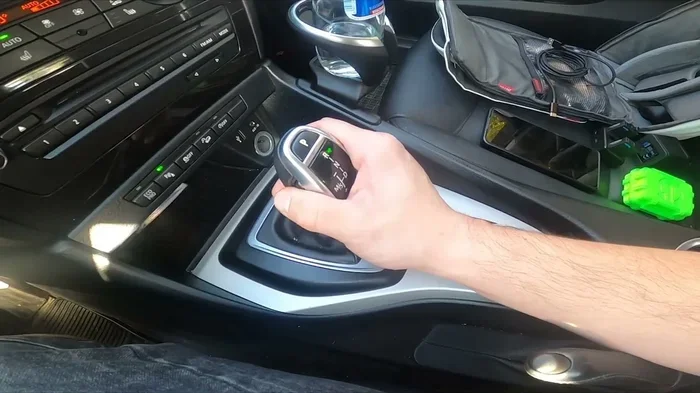
This generation moved the shifter to the center console. It is a distinct joystick lever. You push it forward for Reverse, pull back for Drive. The Park button is a dedicated “P” button on the side of the lever base. This is the most common X1 on the road today.
Third Generation (U11: 2023–Present)
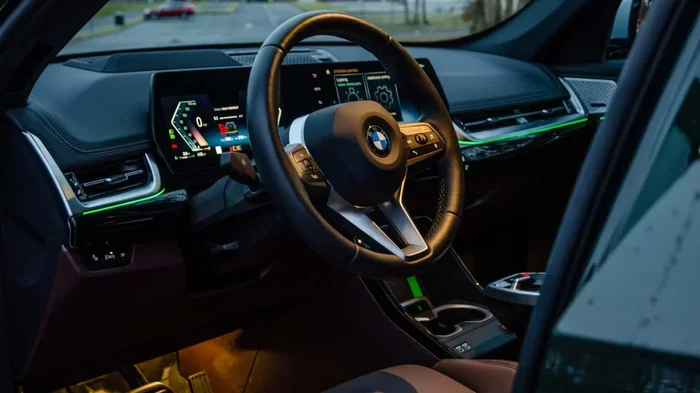
The newest X1 (including the iX1 electric) features a sleek, minimalist toggle switch on the center console (part of the “BMW Interaction Bar”). It is a small rectangular nub. You flick it forward for Reverse, backward for Drive. Press the “P” button on the side for Park. It feels very different but follows the exact same logic.
Step-by-Step: How to Put a BMW X1 in Reverse
Let’s walk through the exact sequence. This works for all model years, whether you have the column stalk, the center console joystick, or the new toggle switch.
Visual guide about BMW X1 gear selector
Image source: cdnshop.euroimpex.lt
1. Start the Vehicle
Press the brake pedal firmly. While holding the brake, press the Start/Stop button (or simply have the key fob inside and press the brake on newer keyless models). The instrument cluster will light up, and the “Ready” or engine idle state will activate. Do not take your foot off the brake yet.
2. Locate the Selector
- E84: Right steering column stalk.
- F48: Center console joystick (driver’s side).
- U11: Center console toggle switch (near the climate controls).
3. Push Forward Firmly
With your foot still on the brake, push the selector forward (away from your body) one distinct click. Do not hold it there; just a firm tap forward.
4. Verify on the Dashboard
Look at your instrument cluster (digital display behind the steering wheel) or the Head-Up Display if equipped. You must see a large “R” illuminated, usually in red or white. The background of the gear indicator often turns red.
5. Check the Surroundings
The backup camera should activate automatically on the center screen (iDrive). Check the camera view, your mirrors, and the Park Distance Control (PDC) sensors (beeping sounds) for obstacles.
6. Release the Brake Gently
Once you confirm “R” is selected and the path is clear, slowly release the brake pedal. The car will creep backward. Apply the accelerator gently if needed.
Quick Reference Checklist
- ☐ Foot on Brake
- ☐ Engine/Ready State ON
- ☐ Selector Pushed FORWARD
- ☐ Dashboard shows “R”
- ☐ Camera/Sensors Active
- ☐ Release Brake & Go
Dashboard Indicators and What They Mean
The instrument cluster is your confirmation tool. Never assume you are in gear just by feel; the shifter always springs back to center position. You must read the screen.
Visual guide about BMW X1 gear selector
Image source: i.ebayimg.com
The Gear Position Display
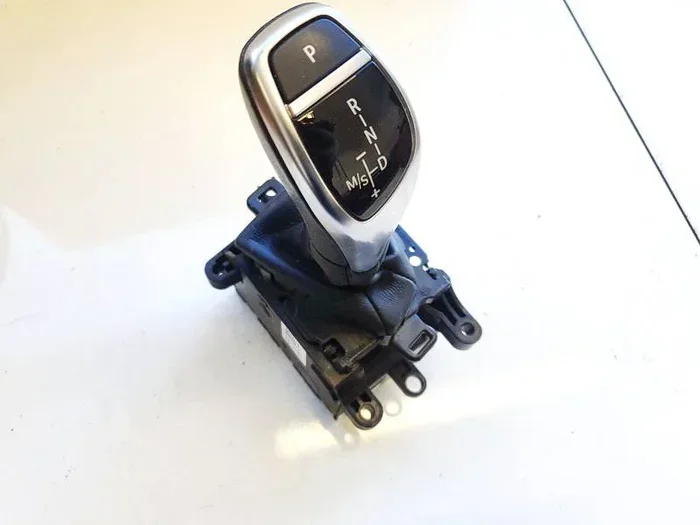
You will see P, R, N, D/S/M displayed. When in Reverse, the “R” is highlighted. On digital clusters (Live Cockpit Professional), the “R” often glows red.
Backup Camera Activation
The camera view should pop up on the central iDrive screen instantly. If it doesn’t, you may have a setting disabled (Settings > Camera > “Activate at Reverse”) or a system glitch.
Park Distance Control (PDC)
You will hear beeping that increases in frequency as you get closer to objects. A visual arc display appears on the screen showing distance. If you see a red “STOP” warning, brake immediately.
Transmission Fault Warning
If you see a yellow gear icon with an exclamation mark (!) or a message saying “Drivetrain Malfunction” or “Transmission Fault,” the car may lock out gear changes. This requires a restart or service. Do not force the shifter.
Common Mistakes and How to Avoid Them
Even experienced BMW drivers make these errors. Here is how to dodge the most frequent frustrations.
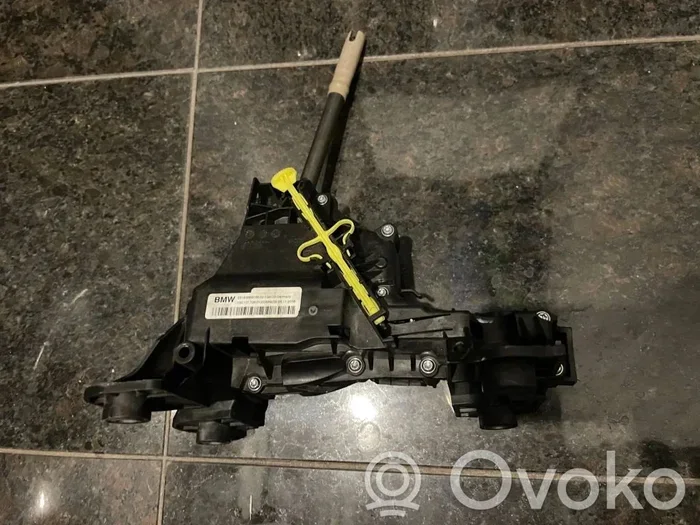
Visual guide about BMW X1 gear selector
Image source: images.ovoko.com
Mistake 1: Pulling Back for Reverse
The Error: Muscle memory from other cars makes you pull the lever toward you.
The Result: You engage Drive (D). The car lurches forward.
The Fix: Put a small sticker on the console or stalk with an arrow pointing Forward labeled “R”. Practice in an empty lot 10 times in a row: Forward-R, Back-D, Forward-R, Back-D.
Mistake 2: Not Pressing the Brake Hard Enough
The Error: Hovering your foot over the pedal or pressing lightly.
The Result: The selector moves, but the dashboard stays in “P” or “N”. The car won’t move.
The Fix: Press the brake pedal firmly until you feel the “click” of the brake switch engaging. Wait for the “R” to appear.
Mistake 3: Confusing the Park Button with Neutral
The Error: Tapping the “P” button thinking it puts the car in Neutral (for car washes or towing).
The Result: The parking pawl engages. Wheels lock.
The Fix: For Neutral: With engine running and brake pressed, push the selector forward or back briefly to “N” (center position). Hold it for 1-2 seconds if it springs back. The dash must show “N”. Note: On U11 models, there is a specific “N” procedure in the menu for car washes.
Mistake 4: Exiting the Car in Reverse
The Error: Opening the door while “R” is selected to check the bumper.
The Result: On many models, opening the driver’s door with the seatbelt off and “R” or “D” engaged triggers an automatic shift to “P” (safety feature). The car stops, but it can be jarring.
The Fix: Always shift to “P” (press the P button) before unbuckling or opening the door.
Model Year Specifics: Deep Dive
E84 (2009–2015): The Column Stalk
This feels most like a “normal” car but on the wrong side (right stalk).
- Action: Push stalk forward (toward dashboard) for R.
- Park: Press “P” button on stalk end.
- Quirk: The stalk returns to center. You cannot see the gear by looking at the stalk. You must check the cluster.
F48 (2015–2022): The Center Console Joystick
This is the classic modern BMW shifter.
- Action: Push joystick forward (toward passenger dash) for R.
- Park: Press “P” button on left side of lever base.
- Sport Mode: Tap the joystick left (toward driver) from D to enter S/M mode. Tap right to return to D.
- Tip: If the battery dies, there is a manual release cable under the console trim (check owner’s manual) to shift to Neutral for towing.
U11 (2023+): The Toggle Switch / Interaction Bar
This is the newest design, shared with the 7 Series and X7.
- Action: Flick the small toggle switch forward (up) for R.
- Park: Press the dedicated “P” button on the side of the switch housing.
- Drive: Flick backward (down) for D.
- Neutral (Car Wash Mode): On this model, getting into “N” and staying there (engine off) requires a specific iDrive menu sequence: Vehicle > Doors/Key > Car Wash Mode. This keeps the car in Neutral with the engine off.
Safety Features That Help You Reverse
The X1 is packed with tech to make reversing safer. Knowing how to use them makes you a better driver.
Reversing Assistant (Reversing Aid)
Available on F48 (later years) and standard on U11. If you drive forward into a tight spot (like a narrow garage or dead-end alley) for up to 50 meters (160 ft), the car memorizes the steering inputs. When you shift to Reverse, it offers to steer exactly the same path backward. You control the speed (brake/gas); the car steers. Look for the icon on the screen (steering wheel with return arrow) and confirm.
Parking Assistant Plus / Professional
This system scans for parallel or perpendicular spots. Once found, you shift to Reverse, take your hands off the wheel, and hold the “P” button on the screen (or the Park Assistant button). The car steers, brakes, and accelerates into the spot. It works remarkably well on the X1.
Surround View / 3D View
Use the iDrive controller (or touchscreen on U11) to switch camera views: Top Down (bird’s eye), Panorama, or 3D View. The 3D View lets you swipe the screen to “fly” around the car virtually. Essential for curbing those expensive wheels.
Cross Traffic Alert
When backing out of a perpendicular parking space (blind spots), radar sensors in the rear bumper detect cars approaching from the sides. A visual warning flashes in the mirror or screen, and an audible alert sounds. Trust it—it sees what you cannot.
Maintenance Tips for Smooth Shifting
An electronic shifter relies on healthy software and mechanical transmission components. Neglecting maintenance leads to harsh shifts, delays going into Reverse, or “Drivetrain” errors.
Transmission Fluid Service
BMW claims “lifetime fluid,” but experts and independent shops recommend changing the ZF 8-speed automatic fluid (used in most F48/U11 X1s) every 60,000–80,000 miles. Old fluid causes solenoid sticking, which feels like a delay when you push the shifter forward for Reverse. If you plan on keeping the car long-term, this is the single best maintenance item. Selecting the ideal brake fluid for your BMW model is also critical for the hydraulic systems that work alongside the transmission during stops.
Software Updates (ISTA/ISTA+)
The transmission control unit (TCU) software controls shift logic. Dealers can flash updates that fix “Reverse engagement delay” or “harsh 1-2 shift.” Ask for a “vehicle test plan” or “software update check” during every service visit. On U11 models, Over-the-Air (OTA) updates handle this automatically—ensure “Software Updates” is enabled in Settings.
Battery Health
Low system voltage confuses electronic modules. The shifter may not communicate with the TCU. If your X1 struggles to start or shows “Increased Battery Discharge,” the transmission may refuse to shift out of Park or into Reverse. Register a new battery properly (coding) so the charging profile matches.
Run-Flat Tire Condition
Most X1s come with run-flat tires. A damaged sidewall or low pressure triggers the TPMS and can limit vehicle speed (limp mode), affecting reverse maneuverability. Inspect sidewalls monthly for bubbles or cuts. Understanding BMW run-flat tires design benefits and care helps you spot issues early before they leave you stranded.
Brake System Maintenance
Since you must hold the brake to shift, a spongy pedal or worn pads/sensors can interfere with the brake light switch signal. The car thinks you aren’t pressing the brake. Flush brake fluid every 2 years. Knowing what BMW service includes ensures you don’t miss the brake fluid flush interval.
Troubleshooting: “My X1 Won’t Go Into Reverse”
If you push forward and the dash stays on “P” or “N”, run through this checklist.
- Check Brake Lights: Have a friend watch the rear lights while you press the pedal. If they don’t light up, the brake light switch (under the dash) is faulty. The car will not shift out of Park without this signal.
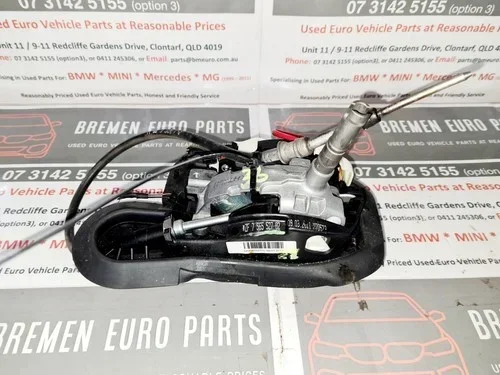
- Check Shifter Connection: On F48 models, the joystick connector under the console can come loose if items fall into the cupholder gap. Remove the trim panel (carefully) and reseat the connector.
- Restart the Car: Turn off engine (Start/Stop button). Open driver’s door (kills accessory power). Wait 2 minutes. Restart. This reboots the TCU and CAS modules.
- Check for Fault Codes: Use a BMW-specific scanner (BimmerCode, Carly, or ISTA) or visit a shop. Generic OBD2 scanners often miss transmission codes. Look for codes like 4F81, 4F82 (Gear selector implausible signal).
- Mechanical Failure: If you hear a loud clunk or grinding, or the car rolls in Park, the parking pawl or transmission internals may be broken. Call a tow truck. Do not drive.
Pro Tips for Confident Reversing
- Adjust Mirrors Down: In iDrive Settings > Vehicle > Doors/Key > “Mirror Dip,” enable the passenger mirror to tilt down automatically in Reverse. This shows the curb line perfectly.
- Use “P” Button for Quick Stops: At a drive-thru or quick stop, just hit the “P” button. It engages Park and applies the electronic parking brake instantly. No need to hold the brake pedal.
- Auto Hold: Press the “Auto Hold” button (console, near shifter). It keeps the brakes applied after you stop, even in Reverse, until you touch the gas. Great for hill starts backing up.
- Steering Wheel Position: On U11 models, the steering wheel buttons are touch-sensitive. Clean them if they get greasy; accidental touches can change drive modes or camera views while reversing.
- Key Fob Remote Parking (Parking Assistant Professional): On equipped U11 models, you can stand outside the car and hold the center of the key fob (or use the phone app) to make the X1 reverse into a tight garage autonomously. Check your spec sheet for “Remote Control Parking.”
Comparing X1 Shifter Generations
| Feature | E84 (Gen 1) | F48 (Gen 2) | U11 (Gen 3) |
|---|---|---|---|
| Years | 2009–2015 | 2015–2022 | 2023–Present |
| Shifter Location | Steering Column (Right Stalk) | Center Console (Joystick) | Center Console (Toggle Switch) |
| Reverse Action | Push Stalk Forward | Push Joystick Forward | Flick Toggle Forward/Up |
| Park Action | Press “P” Button on Stalk End | Press “P” Button on Lever Base | Press “P” Button on Switch Housing |
| Visual Gear Indicator | Cluster Only | Cluster + HUD + Console LED | Cluster + HUD + Interaction Bar Light |
| Neutral (Car Wash) | Hold Stalk Forward/Back to N | Hold Joystick Forward/Back to N | iDrive Menu: Car Wash Mode |
| Reversing Assistant | Not Available | Optional (Later Models) | Standard / Advanced |
Why BMW Designed It This Way
You might wonder: Why make Reverse “Forward”? It is actually a safety and engineering decision.
- Space Saving: A joystick/toggle takes a fraction of the space of a PRNDL lever. This frees up center console room for cupholders, wireless charging, and storage.
- Error Proofing (Sort of): To go from Drive to Reverse in a traditional car, you pass through Neutral. In the BMW, you must go “Back to D, then Forward to R.” It requires a deliberate direction change, reducing accidental shifts at speed (though the software blocks R at speed anyway).
- Autonomous Ready: Electronic selectors are required for self-parking and future autonomous features. The computer shifts the car, not a cable.
- Consistency: Since the i3 (2013), BMW standardized this logic across i, X, and Series models. Learn it once, drive them all.
Teaching a New Driver (or Spouse) the X1
If you share the car, spend 15 minutes in an empty parking lot.
- Static Practice: Engine off. Just practice the hand motion: “Forward is R, Back is D, Button is P.” Repeat 20 times.
- Engine On, Brake Held: Practice the sequence with the car running but stationary. Watch the dash change P-R-N-D.
- Creep Practice: Foot on brake, shift to R, release brake slowly. Feel the creep. Stop. Shift to D. Creep forward. Stop.
- Camera Drill: Place a cone (or box) behind the car. Reverse using only the camera screen. Then use only mirrors. Then combine.
- Emergency Stop: Practice hitting the “P” button while rolling slowly (1-2 mph) to feel the emergency brake engage. It is abrupt but safe.
Frequently Asked Questions
Does the BMW X1 have a traditional gear stick?
No, the BMW X1 uses an electronic gear selector. On older models (2009-2015) it is a stalk on the steering column. On newer models (2015-present) it is a joystick or toggle switch on the center console. There is no mechanical linkage to the transmission.
Why does my BMW X1 shifter always return to the center position?
This is normal. The selector is a momentary switch (like a joystick). It springs back to center after you make a selection. The current gear (P, R, N, D) is displayed only on the dashboard instrument cluster, not on the shifter itself.
How do I put my BMW X1 in Neutral for a car wash?
With the engine running and brake pressed, tap the shifter forward or backward briefly to “N” and hold for 1-2 seconds until the dash shows “N”. On the newest U11 models (2023+), you must use the iDrive menu: Vehicle > Doors/Key > Car Wash Mode to keep it in Neutral with the engine off.
What does it mean if the car beeps when I open the door in Reverse?
This is a safety feature. If you unbuckle your seatbelt and open the driver’s door while the car is in Reverse (or Drive), the vehicle automatically shifts into Park (P) to prevent the car from rolling away unattended.
Can I shift into Reverse while the car is still rolling forward?
The transmission control module electronically prevents this at speeds above roughly 2-3 mph to protect the transmission. If you try, the request is ignored, and the car stays in Drive or Neutral. You must be fully stopped.
My shifter feels loose or floppy. Is it broken?
On F48 models, the joystick base can crack internally, causing a “mushy” feel or failure to register the “Forward” push for Reverse. This is a known issue. The selector assembly usually needs replacement. Avoid resting your hand heavily on it while driving.
Conclusion
Learning how to put a BMW X1 in reverse is really about unlearning 20 years of muscle memory from traditional cars. The rule is simple: Push Forward for Reverse. Once you verify the “R” on the dash and the camera view, you are good to go. Whether you have the column stalk, the joystick, or the new toggle switch, the logic is identical.
Take the time to practice in a safe spot. Use the amazing camera and sensor tech BMW provides. Keep up with transmission fluid changes and software updates. If you treat the electronic selector with deliberate inputs—firm brake, distinct push, verify dash—you will master it in a single afternoon. Safe travels, and enjoy the view from that backup camera.