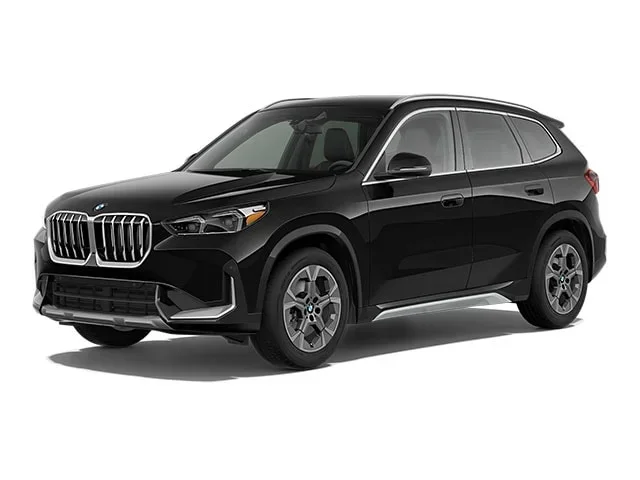
Featured image for BMW X1 dashboard screen
Image source: bmw.scene7.com
Does the BMW X1 come with a screen? Absolutely. Every new BMW X1 features the stunning BMW Curved Display as standard equipment. This article breaks down the screen sizes, the new iDrive 9 operating system, and key tech features like wireless Apple CarPlay and Android Auto. You will also learn about the optional Head-Up Display and how the digital instrument cluster works.
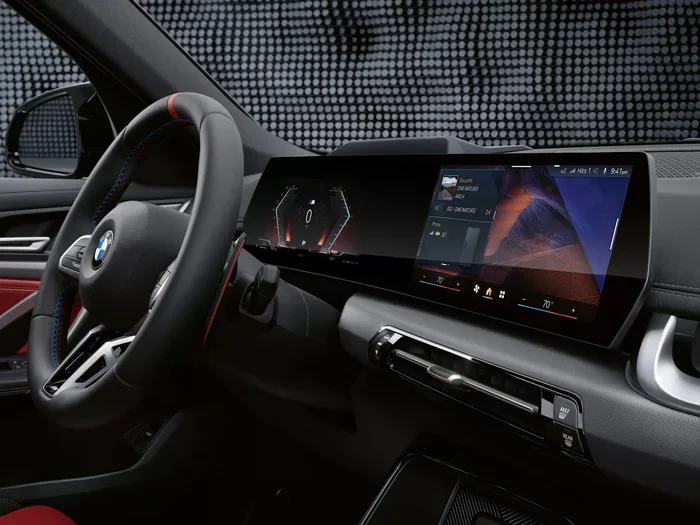
If you are shopping for a new compact luxury SUV, you have probably asked yourself: does the BMW X1 come with a screen? The short answer is a resounding yes. In fact, the screen is now the centerpiece of the entire dashboard. Gone are the days of small, pop-up displays or separate gauges. The latest generation X1, launched for the 2023 model year, adopts the same high-tech “Curved Display” found in BMW’s flagship electric vehicles like the iX and i4.
This is a massive upgrade over the previous generation. It changes how you interact with the car daily. From navigation and media to vehicle settings and driving modes, everything runs through this single piece of glass. In this guide, we will walk you through exactly what you get, how the software works, what optional upgrades exist, and a few quirks you should know before you buy.
Key Takeaways
- Standard Curved Display: All 2023+ BMW X1 models (U11 chassis) come standard with the BMW Curved Display combining a 10.25-inch instrument cluster and a 10.7-inch touchscreen.
- iDrive 9 Operating System: The system runs on BMW’s latest iDrive 9 software, offering a tile-based home screen, quick select menu, and zero-layer design for easier access.
- Wireless Smartphone Integration: Wireless Apple CarPlay and Android Auto are standard, allowing seamless phone mirroring without cables.
- Optional Head-Up Display: A color Head-Up Display is available as an option or part of a package, projecting speed and navigation onto the windshield.
- Voice Control & Climatize: The BMW Intelligent Personal Assistant handles voice commands, and you can control features like climatize functions via the screen or app.
- No Physical Climate Knobs: Climate controls are integrated into the touchscreen, a change from previous generations that some drivers need time to adjust to.
- Warranty Coverage: The infotainment hardware is covered under the BMW factory warranty for 4 years or 50,000 miles.
📑 Table of Contents
- The Standard BMW Curved Display Explained
- Deep Dive into iDrive 9 Software
- The Digital Instrument Cluster: What You See Behind the Wheel
- Optional Upgrades: Head-Up Display and More
- Controlling the Experience: Touch, Voice, and Knob
- Connectivity, Apps, and Over-the-Air Updates
- Real World Usability: Pros and Cons
- Comparison: X1 Screen vs. Competitors
- Maintenance and Care for Your Curved Display
- Buying a Used X1? What to Check (Pre-2023 Models)
- Frequently Asked Questions About the X1 Screen
- Conclusion
The Standard BMW Curved Display Explained
Let’s start with the hardware. Every single 2023 and newer BMW X1 (chassis code U11) leaves the factory with the BMW Curved Display. There is no “base model” with a smaller screen or analog dials anymore. This standardization simplifies the buying process but raises the bar for entry-level tech.
Screen Dimensions and Layout
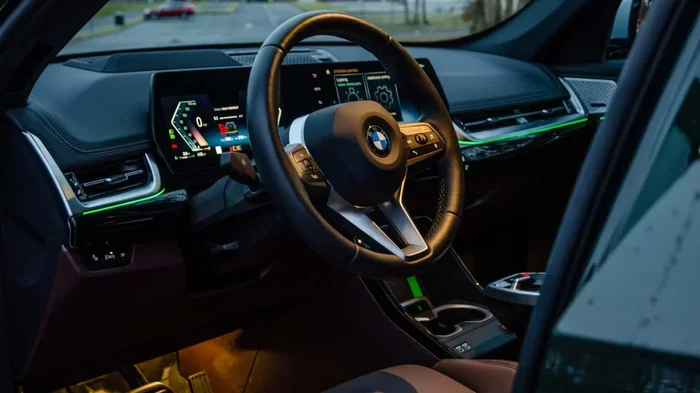
The unit is a single, seamless piece of curved glass that arcs toward the driver. It houses two distinct display areas under one continuous surface:
- Information Display (Instrument Cluster): 10.25 inches diagonally. This sits behind the steering wheel and replaces traditional analog gauges.
- Control Display (Center Touchscreen): 10.7 inches diagonally. This is your main interface for infotainment, navigation, and settings.
The curvature is not just for looks. It puts the center screen within easier reach of the driver and reduces glare. The resolution is crisp, colors are vibrant, and the anti-reflective coating works well in bright sunlight.
What Happened to Physical Buttons?
This is the biggest change for longtime BMW owners. Almost all physical buttons for climate control, heated seats, and drive modes are gone. They have been moved onto the touchscreen. You still have the iDrive controller rotary knob on the center console (thankfully), plus steering wheel buttons and voice control. But adjusting the fan speed or temperature now requires a tap on the screen or a voice command.
Quick Tip: You can add climate shortcuts to the “Quick Select” bar at the bottom of the home screen. This lets you jump to temperature controls with one tap from any menu.
Deep Dive into iDrive 9 Software
The hardware is only half the story. The 2023+ X1 runs iDrive 9 (officially BMW Operating System 9). This is a ground-up rewrite of the software, designed around touch-first interaction rather than the rotary-knob-first logic of older systems.
Visual guide about BMW X1 dashboard screen
Image source: imgcdn.zigwheels.ph
Home Screen and Quick Select
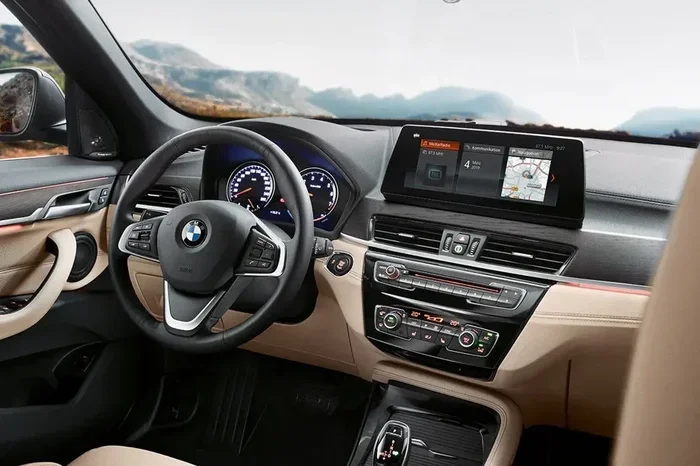
The home screen uses a card-based layout. You see a map card, a media card, and a phone card by default. You can swipe left or right to see more apps. At the bottom sits the Quick Select bar. This is customizable. You can pin your most-used functions here—like “Nav Home,” “Climate,” “Eco Pro,” or “Surround View Camera”—so they are always one tap away.
Zero-Layer Design
BMW calls this “Zero Layer.” The goal is to show you what you need before you even ask. For example, if you get in the car on a weekday morning, it might automatically show your commute route on the map card. If you plug in your phone, the Apple CarPlay or Android Auto icon pops up front and center. It learns your habits over time.
Wireless Apple CarPlay and Android Auto
This is standard across the lineup. You do not need a cable. Once paired via Bluetooth initially, the connection switches to Wi-Fi for higher bandwidth. It works reliably. The projection takes over the entire 10.7-inch center screen (the instrument cluster stays on BMW’s native UI). You can also split the screen to see BMW navigation next to Apple Maps if you really want to.
The Digital Instrument Cluster: What You See Behind the Wheel
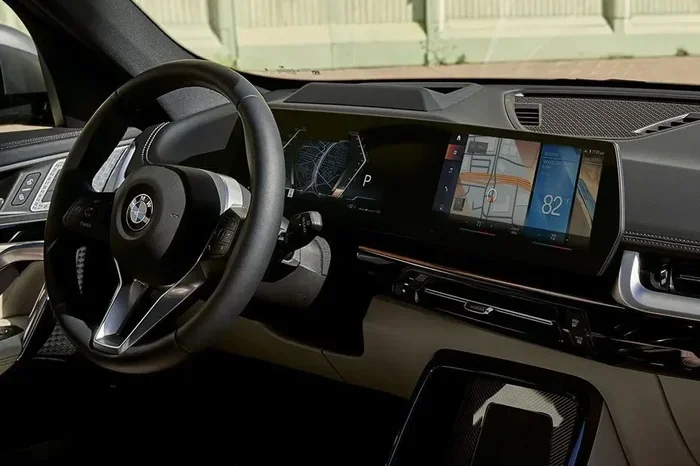
The 10.25-inch display behind the steering wheel is fully digital. It is not just a digital copy of analog dials; it offers distinct “Views” you can toggle using the View button on the right side of the steering wheel.
Visual guide about BMW X1 dashboard screen
Image source: imgcdn.zigwheels.ph
Classic, Navigation, and Minimal Views
- Classic View: Two large round dials (Speedometer and Power Meter/Rev Counter) with info in the middle. Feels familiar.
- Navigation View: The map takes up the center portion between the dials. Great for turn-by-turn arrows without looking at the center screen.
- Minimal View: Just a speedometer and essential warnings. Clean and distraction-free.
You can also configure the “Info Displays” in the center of the dials to show trip data, driver assistance status, or audio info.
Understanding Warning Lights
Because this is a screen, warning lights look slightly different than old bulbs. They are crisp icons. If you see something unfamiliar—like a drivetrain malfunction symbol—it helps to know what the icons mean. You can always check the meaning of BMW dashboard symbols in your owner’s manual or our guide to stay safe.
Optional Upgrades: Head-Up Display and More
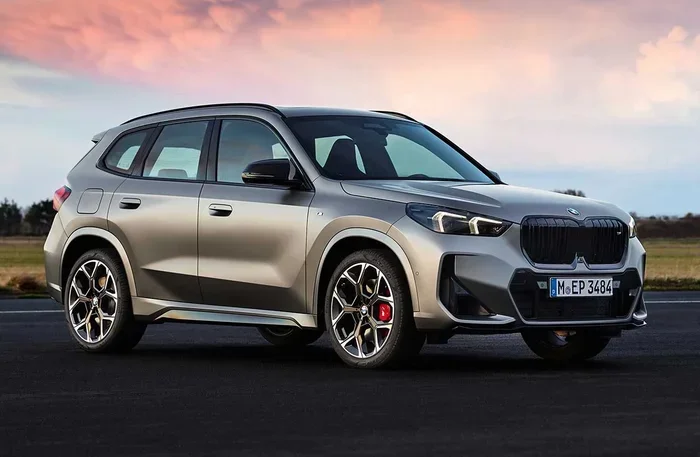
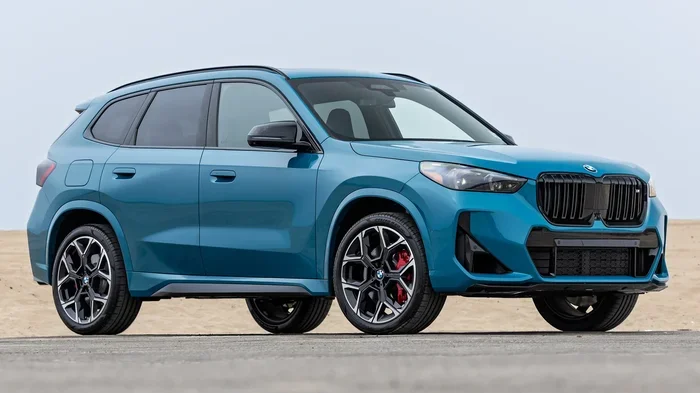
While the standard Curved Display is excellent, there are two major tech upgrades you can add. They are often bundled in the Premium Package or Technology Package depending on the model year and trim (xDrive28i vs M35i).
Visual guide about BMW X1 dashboard screen
Image source: imgcdn.zigwheels.us
BMW Head-Up Display (HUD)
This projects a full-color image onto the windshield right in your line of sight. It shows:
- Current speed and speed limit.
- Navigation arrows (turn-by-turn).
- Driver assistance status (lane keeping, cruise control distance).
- Incoming calls and media info.
It is adjustable for height and brightness. If you do a lot of highway driving or navigate busy cities, the HUD is a game-changer for safety. You keep your eyes on the road.
Augmented View for Navigation
On the center screen, when using BMW Maps, you get an “Augmented View” at complex intersections. It uses the front camera to show a live video feed of the road ahead with a digital arrow painted on the asphalt telling you exactly where to turn. It works surprisingly well and reduces last-second lane changes.
Parking Assistant Professional
This uses the screens to show a 3D “Remote 3D View” of the car. You can literally spin a virtual model of your X1 on the touchscreen to check for curbs. It also enables automated parking where the car steers, brakes, and shifts gears while you hold the Park button (or do it remotely via the key fob/App).
Controlling the Experience: Touch, Voice, and Knob
BMW retains the iDrive rotary controller on the center console. This is a deliberate choice. Touchscreens are great for tapping icons (like a phone), but terrible for scrolling long lists while driving on a bumpy road. The knob solves this.
BMW Intelligent Personal Assistant
Say “Hey BMW” (or press the microphone button on the steering wheel) to activate the voice assistant. It understands natural language. You can say:
- “Hey BMW, I’m cold.” (Turns up heat).
- “Hey BMW, navigate to the nearest coffee shop.”
- “Hey BMW, what does Eco Pro do?” (It explains the mode).
Speaking of Eco Pro, it is one of the core driving modes. It changes throttle response, shift points, and climate control to maximize efficiency. You can read more about what Eco Pro does on a BMW to see if it fits your daily drive.
Gesture Control? Not on X1.
Unlike the 7 Series or X7, the X1 does not offer Gesture Control (waving your hand to change volume). The sensor hardware is not included. You rely on the volume knob on the dash, the steering wheel roller, or voice commands.
Connectivity, Apps, and Over-the-Air Updates
The X1 comes with a built-in 5G modem (where available) and a Wi-Fi hotspot capability. This keeps the car connected even without your phone.
BMW ConnectedDrive Store
You can download apps directly to the car’s screen via the ConnectedDrive Store. Popular options include:
- Streaming video apps (for parked charging sessions mostly).
- Games (passenger only while driving).
- Productivity apps like Webex or Zoom (audio only while driving).
You need a BMW ID and usually a data plan (either the car’s SIM or your phone’s hotspot) to download and run these.
Remote Software Upgrades
The car receives Over-the-Air (OTA) updates. BMW pushes new features, bug fixes, and map updates wirelessly. You schedule the install for a time you aren’t driving (like 2 AM). It keeps the system feeling fresh years down the road.
Digital Key Plus
If you have a compatible iPhone (iPhone XR or newer) or select Samsung/Google Pixel phones, you can use Digital Key Plus. It uses Ultra Wideband tech. You walk up to the car, the door unlocks automatically. You put the phone in the wireless charger (or just keep it in your pocket), press Start, and drive. No physical key fob needed. You can also share keys with family via iMessage.
Real World Usability: Pros and Cons
After spending significant time with the system, here is the honest breakdown.
The Good
- Visual Quality: The curved OLED-style LCD is best-in-class for this segment. It looks expensive.
- Speed: iDrive 9 is snappy. No lag swiping between menus.
- Customization: Quick Select bar and configurable instrument cluster views let you tailor the UI.
- Wireless CarPlay/Android Auto: Works flawlessly 99% of the time.
- Retained Knob: The iDrive controller is the unsung hero for safe driving interaction.
The Not-So-Good
- Climate Controls Buried: Adjusting fan speed or defrost requires at least one tap (sometimes two if not on home screen). Physical knobs were faster.
- Glare: The curve catches light from side windows at certain angles. Polarized sunglasses help.
- Learning Curve: If you are used to iDrive 7 or 8, the menu logic has shifted. Muscle memory takes a week to rebuild.
- No Physical Volume Knob on Dash: Volume is a roller on the steering wheel or a rotary knob on the console. Some miss the dash-mounted knob.
Comparison: X1 Screen vs. Competitors
How does the X1 stack up against rivals like the Audi Q3, Mercedes GLA, and Volvo XC40?
| Vehicle | Standard Screen Setup | Key Differentiator |
|---|---|---|
| BMW X1 (2023+) | 10.25″ Cluster + 10.7″ Curved Touchscreen (Single Glass) | Unified curved glass; Retains physical iDrive knob; iDrive 9 OS. |
| Audi Q3 | 10.25″ Virtual Cockpit + 10.1″ Center Touchscreen (Separate) | Separate screens; MIB 3 OS; Haptic feedback on center screen. |
| Mercedes GLA | Dual 10.25″ Screens (Optional MBUX Superscreen 77″ wide) | Superscreen option spans passenger side; “Zero Layer” AI similar to BMW. |
| Volvo XC40 | 12.3″ Cluster + 9″ Vertical Center Touchscreen | Portrait orientation; Google Built-In (Android Automotive OS); No phone needed for maps/apps. |
The X1 wins on driver-centric ergonomics (curve + knob). The Mercedes wins on “wow factor” with the optional Superscreen. The Volvo wins on native Google Maps integration. The Audi sits in the middle with excellent Virtual Cockpit graphics.
Maintenance and Care for Your Curved Display
This is a big piece of expensive glass. Treat it well.
Cleaning the Screen
- Use a clean, dry microfiber cloth (like for glasses).
- If needed, lightly dampen the cloth with water or a dedicated screen cleaner (ammonia-free).
- Never spray directly on the screen. Liquid can seep into the edges.
- Wipe gently in a circular motion or straight lines. Don’t press hard.
Screen Protectors
Many owners apply a matte or glossy screen protector film. It reduces glare and prevents scratches from rings or fingernails. Since the screen is curved, buy a model-specific kit (often sold as two pieces: one for cluster, one for center). Installation requires patience and a dust-free environment.
Software Glitches
If the system freezes or acts weird (Bluetooth won’t connect, screen goes black), try a “Soft Reset”: Press and hold the volume knob (power button) for 20-30 seconds until the BMW logo appears. This reboots the infotainment without affecting driving systems. If issues persist, a dealer visit for a software flash may be needed—covered under warranty.
Buying a Used X1? What to Check (Pre-2023 Models)
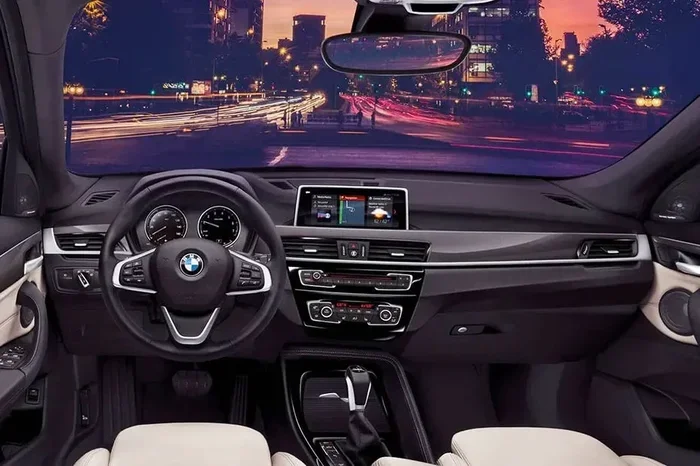
Everything above applies to the U11 chassis (2023–present). If you are looking at a 2015–2022 model (F48 chassis), the screen situation is totally different.
F48 Generation (2015–2022) Screen Specs
- Base Model: Often came with a 6.5-inch or 8.8-inch non-touch screen mounted on top of the dash. Controlled only by iDrive knob.
- Navigation Package / Tech Package: Upgraded to a 10.25-inch touchscreen (still separate from cluster).
- Instrument Cluster: Analog dials with a small digital LCD in the middle (except late models with Live Cockpit Plus/Pro which got a 10.25″ digital cluster).
Critical Check: If buying used, verify if it has Touchscreen and Wireless CarPlay. Early F48s had wired CarPlay only. Wireless CarPlay arrived around the 2020 model year (July 2019 production+). Also, check for the “BMW Live Cockpit Professional” code (6U3) for the full digital cluster.
CPO Warranty Peace of Mind
If buying a Certified Pre-Owned (CPO) X1, the screen and iDrive system are covered. The BMW CPO warranty extends coverage significantly. It is worth asking the dealer for a printout of the specific equipment codes (option codes) so you know exactly which screen hardware you are getting.
Frequently Asked Questions About the X1 Screen
Can I watch Netflix or YouTube on the BMW X1 screen?
Yes, but only when the vehicle is parked (Park gear engaged) or charging (if EV/PHEV). BMW offers video streaming apps in the ConnectedDrive Store. For safety, video playback is locked out while driving. Audio streaming (Spotify, Apple Music, Tidal) works while driving.
Does the BMW X1 have a CD/DVD player?
No. The new U11 X1 does not have a CD slot. The previous F48 generation also lacked one. You must use streaming, USB drive (music files), or Bluetooth.
Is the BMW Curved Display touchscreen on both sides?
Technically, the whole glass is a touch sensor, but the instrument cluster portion (behind the wheel) does not respond to touch inputs for menu navigation. It is display-only. Only the center 10.7-inch portion acts as a touchscreen. You use the steering wheel buttons or iDrive knob for the cluster.
Can I split the screen to see navigation and music at the same time?
Yes. Swipe from the left or right edge of the center screen (or tap the split-screen icon in the Quick Select bar) to activate split view. You can have BMW Maps on one side and Media/Phone/Trip Data on the other. You cannot run Apple CarPlay in split view; it takes the full screen.
Does the screen stay on when the car is off?
No. The screen powers down when you lock the car and walk away (comfort access) or after a short timeout if you sit in the car without the engine running. It boots up quickly (few seconds) when you open the door or press Start.
What happens if the screen cracks?
Since the cluster and center screen are fused under one piece of glass, a crack usually means replacing the entire Curved Display unit. It is an expensive part (often $2,000-$3,000+ for the part alone). This is where comprehensive insurance or the BMW Certified warranty saves you. A screen protector film is cheap insurance.
Conclusion
So, does the BMW X1 come with a screen? Yes, and it is one of the best in the business. The standard BMW Curved Display with iDrive 9 transforms the cabin into a modern, high-tech space. You get large, crisp displays, wireless smartphone mirroring, and a powerful voice assistant right out of the box.
While the shift to touchscreen climate controls takes some getting used to, the retention of the iDrive rotary knob strikes a smart balance between modern aesthetics and driving safety. Whether you opt for the base xDrive28i or the spicy M35i, the screen experience is identical—and excellent. If you value a clean, digital cockpit that stays current via over-the-air updates, the new X1 delivers exactly that.
Ready to experience it? Head to a dealer for a test drive. Spend 10 minutes just playing with the Quick Select bar and the voice assistant. That is the best way to know if this digital lifestyle fits yours.