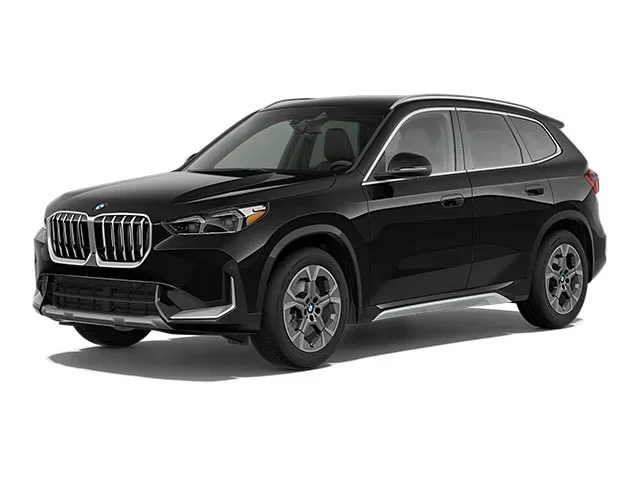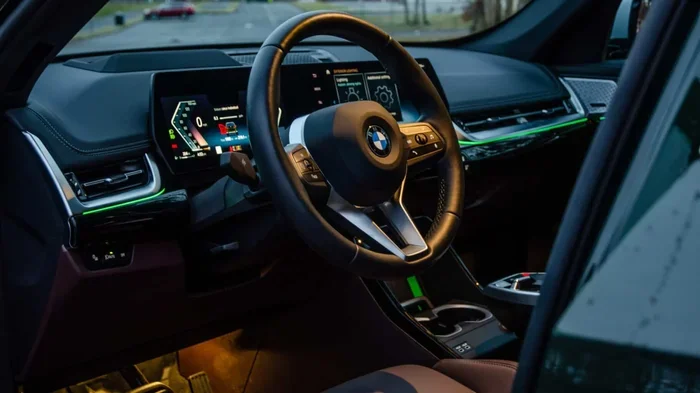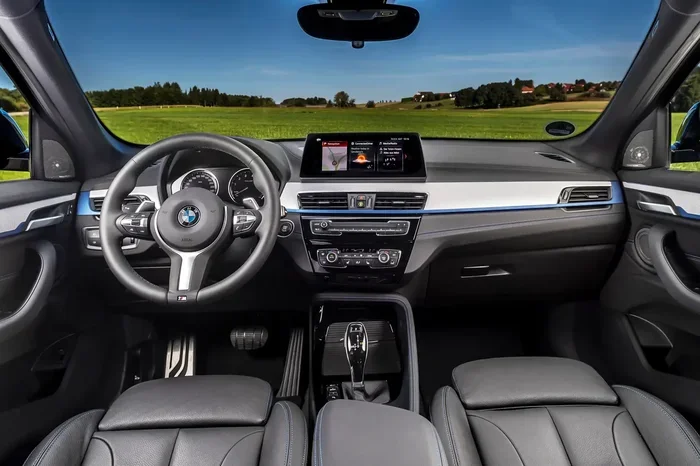
Featured image for BMW X1 interior dashboard
Image source: parkers-images.bauersecure.com
Learning how to drive BMW X1 is easier than you think. This guide covers everything from starting the engine and understanding the gear selector to mastering driving modes like Sport and Eco Pro. You will also learn key safety features, parking assist systems, and tips for handling the unique run-flat tires.
Getting behind the wheel of a new car is always exciting. If you just bought or leased this compact luxury crossover, you might wonder how to drive BMW X1 models like a pro. The good news is that BMW designs its cars with the driver in mind. The controls fall naturally to hand. The seating position is perfect. The visibility is excellent. This guide walks you through every step. We cover the startup routine, the quirky gear shifter, the driving modes, and the high-tech safety net. By the end, you will feel totally confident in your new ride.
We wrote this for real people, not engineers. We skip the jargon. We focus on what you actually do with your hands and feet. Whether you have the sDrive28i (front-wheel drive) or the xDrive28i (all-wheel drive), the basics are the same. Let us jump right in.
Key Takeaways
- Start Smart: Press the brake pedal and hit the Start/Stop button to fire up the engine.
- Know Your Shifter: The toggle-style gear selector moves left and forward for Reverse, left and back for Drive.
- Pick Your Mode: Use the Driving Dynamics Control to switch between Eco Pro, Comfort, and Sport modes.
- Use Driver Aids: Leverage Parking Assistant, Rear View Camera, and Park Distance Control for tight spots.
- Respect Run-Flats: The standard run-flat tires let you drive after a puncture but ride firmer than regular tires.
- Monitor Alerts: Learn the dashboard warning lights so you can react fast to any issue.
- Service On Time: Follow the Condition Based Service schedule to keep your X1 running like new.
📑 Table of Contents
- Getting Comfortable Before You Move
- Starting The Engine And Understanding The Shifter
- Mastering The Driving Dynamics Control
- Using The Driver Assistance Systems
- Handling The Unique BMW X1 Characteristics
- Understanding The Dashboard And Infotainment
- Daily Driving Tips And Best Practices
- Maintenance Mindset: Keep It Driving Like New
- Advanced Features Worth Exploring
- Common Mistakes New X1 Owners Make
- Expert Insight: The “One Pedal” Feel In Traffic
- Comparison: X1 Driving Modes At A Glance
- Conclusion
Getting Comfortable Before You Move
Before you start the engine, take a minute to set up your cockpit. This is step one for any new car. It makes every drive safer and more fun.
Adjust The Seat And Wheel
Your BMW X1 has power seats with memory. Use the switches on the side of the seat base. Move the seat forward until your wrists rest on top of the steering wheel with a slight bend in your elbows. Your hips should be level with or slightly higher than your knees. Adjust the steering wheel tilt and telescope so you see the full instrument cluster. You want a clear view of the speedometer and the digital displays.
Set Your Mirrors
Flip the mirror selector switch on the driver’s door to “L” for left and “R” for right. Use the four-way button to aim the glass. The rearview mirror should frame the whole rear window. The side mirrors should show just a sliver of your own car’s flank. This minimizes blind spots. If your model has auto-dimming mirrors, they handle glare automatically at night.
Fasten Your Seatbelt
Pull the belt across your chest and click it into the buckle. The X1 has pyrotechnic belt tensioners. They snug the belt tight in a crash. Make sure the belt lies flat across your collarbone and low across your hips. No twists.
Starting The Engine And Understanding The Shifter
This is where many new owners pause. The BMW start procedure is specific. The gear selector is unique. Let us break it down.
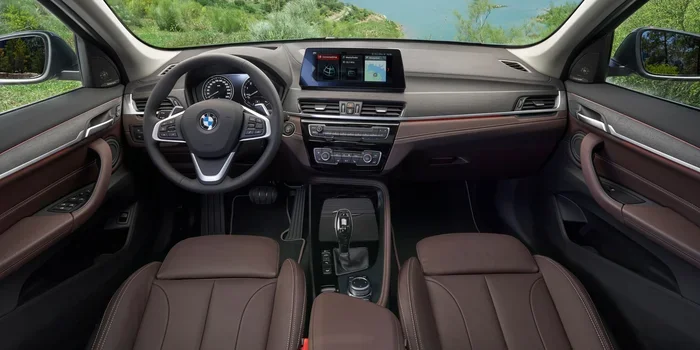
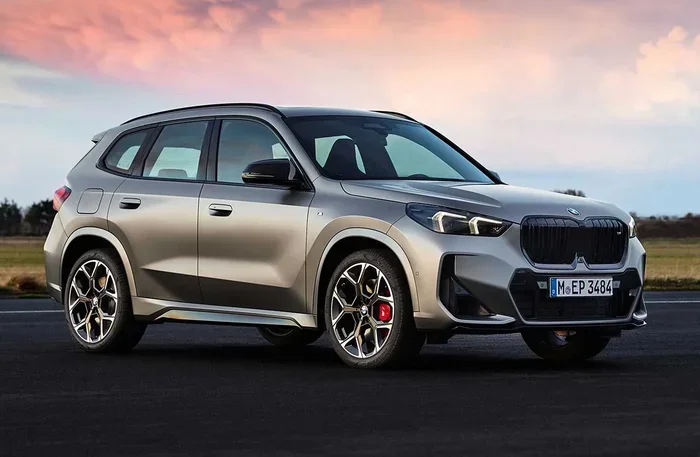
Visual guide about BMW X1 interior dashboard
Image source: carwow-uk-wp-3.imgix.net
The Start/Stop Button
Keep your key fob in your pocket or purse. The car detects it via Comfort Access. Press the brake pedal firmly with your right foot. While holding the brake, press the round Start/Stop button on the right side of the steering column. The engine fires up. The instrument cluster lights up. The “Ready” indicator appears. You are live.
Quick Tip: If the battery in your fob dies, hold the fob against the steering column (right side) while pressing the Start/Stop button. The car reads the chip inductively.
The Toggle Gear Selector
The X1 uses a small toggle switch on the center console. It does not stay in position. It springs back to center. This confuses people at first. Here is the map:
- Park (P): Press the P button on the side of the toggle. Do this only when stopped.
- Reverse (R): Push the toggle left and forward. The car beeps. The backup camera activates.
- Neutral (N): Push the toggle left (straight) and hold for a second. Use this for car washes or towing.
- Drive (D): Push the toggle left and back. The car creeps forward when you release the brake.
The current gear shows in the instrument cluster and the Head-Up Display (if equipped). Always check the display before moving.
Electronic Parking Brake
The parking brake is a small switch labeled “P” with a circle around it, located near the gear toggle. Pull it up to engage. Push it down to release. It releases automatically when you put the car in Drive or Reverse and hit the gas (with seatbelt fastened). It also auto-engages when you shut off the engine.
Mastering The Driving Dynamics Control
One of the best parts of owning a BMW is the Driving Dynamics Control. It sits on the center console, right behind the gear toggle. It lets you change the car’s personality instantly. There are three main modes. Some models add a fourth (Adaptive).
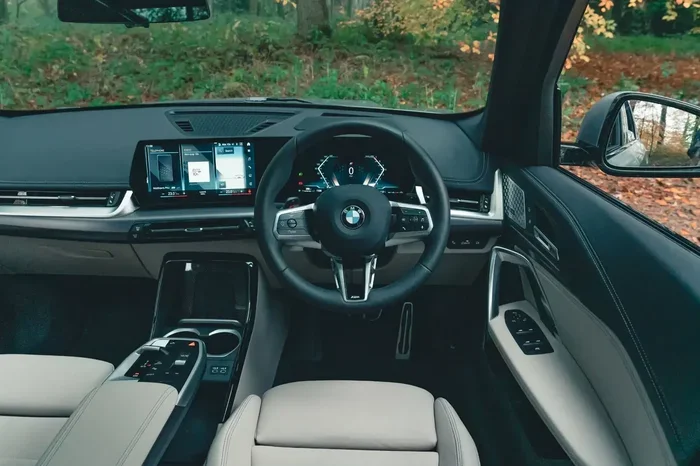
Visual guide about BMW X1 interior dashboard
Image source: autocar.co.uk
Eco Pro Mode
Rotate the dial left (counter-clockwise) until “ECO PRO” lights up. This mode maximizes fuel economy. The throttle response softens. The transmission shifts early and holds high gears. The climate control runs less aggressively. Coasting function kicks in: lift off the gas at speed, and the engine decouples from the drivetrain to save momentum. The instrument cluster shows a bonus range counter. Use this for highway cruising or stop-and-go traffic.
Comfort Mode
This is the default setting. The dial sits straight up (12 o’clock). It balances efficiency and response. Steering is light. Shifts are smooth. Suspension (if you have Adaptive M Suspension) is in its softest setting. This is your daily driver mode. It handles potholes and speed bumps with grace.
Sport Mode
Rotate the dial right (clockwise) to “SPORT”. Everything sharpens. Throttle response is instant. The transmission holds revs longer and downshifts aggressively. Steering weights up. The exhaust note deepens (on models with the sport exhaust). The instrument cluster turns red. The suspension firms up. Use this for on-ramps, twisty roads, or when you need quick passing power.
Adaptive Mode (If Equipped)
If you have the Adaptive M Suspension or the Driving Assistant Professional package, you may see “ADAPTIVE”. In this mode, the car reads your driving style. It switches between Comfort and Sport automatically. It uses navigation data to pre-load settings for curves ahead. It is the “set it and forget it” option.
Using The Driver Assistance Systems
The BMW X1 packs a serious suite of safety tech. These systems act like a co-pilot. They do not replace you. They back you up. Knowing how they work builds trust.
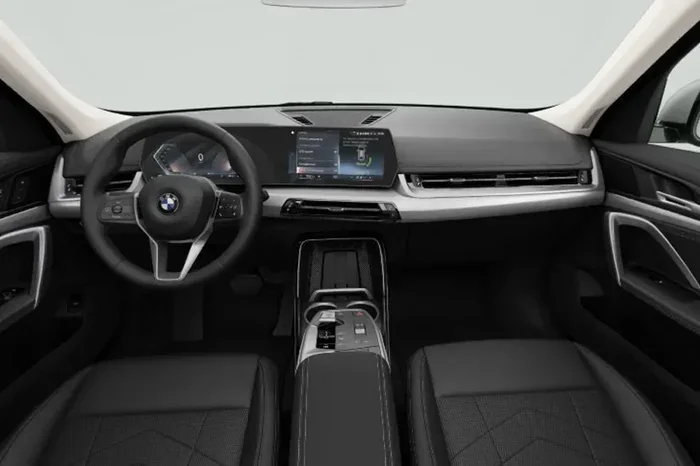
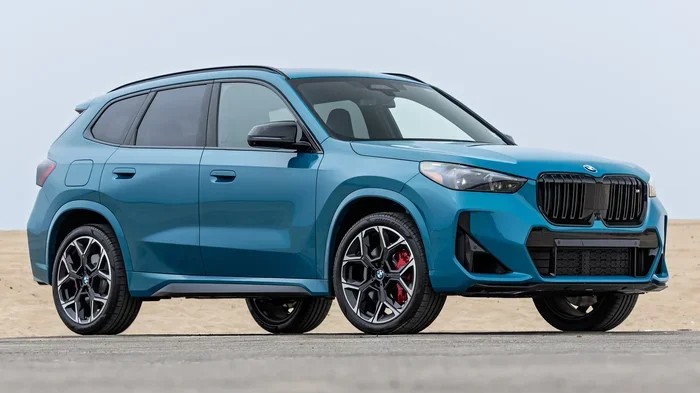
Visual guide about BMW X1 interior dashboard
Image source: imgcdn.zigwheels.my
Parking Assistant And Park Distance Control
Parallel parking in the city? Press the Parking Assistant button (icon: P with a steering wheel) on the center console. The system scans for spots at low speeds. When it finds one, it asks for confirmation. Take your hands off the wheel. The car steers itself. You control the gas and brake. Park Distance Control (PDC) beeps faster as you get closer to objects. The surround-view cameras (if equipped) give a bird’s-eye view on the center screen.
Rear View Camera And Cross Traffic Alert
Shift into Reverse. The center display switches to the backup camera view. Dynamic guidelines curve with your steering input. They show exactly where the rear tires will track. Cross Traffic Alert warns you of cars approaching from the side when backing out of a driveway or parking space. A visual alert flashes on the mirror and screen. An audible chime sounds.
Lane Keeping Assistant And Steering Assistant
On highways, the Lane Keeping Assistant nudges the wheel gently if you drift without signaling. It works above 40 mph. If you have Steering and Lane Control Assistant (part of Driving Assistant Professional), the car centers itself in the lane. It can even handle gentle curves hands-free for short periods. Always keep your hands on the wheel. The system monitors capacitance in the rim. If you let go too long, it warns you, then brakes to a stop.
Active Cruise Control With Stop & Go
Set your speed with the stalk on the left side of the steering column. Press the button on the end to activate. Use the rocker switch to adjust speed in 1 or 5 mph increments. Set the following distance (1 to 4 bars) with the gap button. In heavy traffic, the car brakes to a full stop and accelerates again automatically. If stopped over 3 seconds, tap the resume button or tap the gas pedal.
Speed Limit Assist
The car reads speed limit signs via a camera. It displays the limit in the cluster and Head-Up Display. You can set the cruise control to adopt the new limit automatically with a confirmation tap on the steering wheel button. It is great for long road trips through changing zones.
Handling The Unique BMW X1 Characteristics
Every car has a personality. The X1 has a few specific traits you should know. They affect how you drive day to day.
Run-Flat Tires
Most X1 models come standard with run-flat tires. They have reinforced sidewalls. If you get a puncture, you can drive up to 50 miles at 50 mph to a repair shop. You do not need a spare tire. This saves trunk space and weight. The trade-off? The ride is firmer. You feel more road imperfections. Noise levels are slightly higher. Check pressures monthly. The Tire Pressure Monitor (TPM) alerts you on the screen if pressure drops. Learn more about run-flat tire care here.
Front-Wheel Drive vs All-Wheel Drive (xDrive)
The sDrive28i sends power to the front wheels. The xDrive28i sends power to all four. In normal driving, xDrive acts like front-wheel drive. It sends up to 100% of torque to the rear axle instantly when slip is detected. It uses an electronically controlled multi-plate clutch. It works seamlessly. You do not need to press buttons. In snow or rain, xDrive provides noticeably better traction pulling away. Cornering feels more neutral. The sDrive is lighter and slightly more fuel-efficient. Both use the same 7-speed dual-clutch transmission (DCT).
The 7-Speed Dual-Clutch Transmission (DCT)
This is not a traditional torque-converter automatic. It uses two clutches. One handles odd gears (1,3,5,7). The other handles even gears (2,4,6). Shifts are lightning fast. In Drive, it creeps like a normal auto. In Sport mode, it snaps shifts. At low speeds (parking lots), it can feel a tiny bit jerky if you feather the throttle. Smooth inputs yield smooth shifts. Use the paddle shifters on the steering wheel for manual control. Pull the right paddle (+) to upshift. Pull the left paddle (-) to downshift. The car protects the engine from over-revving or lugging.
Auto Start/Stop Function
The engine shuts off at stoplights to save fuel. The “A” symbol with a circular arrow appears in the cluster. Release the brake, and the engine restarts instantly. It is seamless with the DCT. If you hate it, press the button with the “A” symbol (off) on the center console. It defaults to “On” every key cycle. Many drivers leave it on for the MPG boost.
Understanding The Dashboard And Infotainment
The BMW Operating System 9 (iDrive 9) runs on the curved display. It combines the 10.25-inch instrument cluster and the 10.7-inch center touchscreen. It is touch-based. The rotary iDrive controller is gone on the X1. Here is how to navigate.
Home Screen And Quick Select
The home screen shows “Quick Select” tiles. Swipe left or right to see more. Tap a tile to open Navigation, Media, Phone, or Apps. Press and hold a tile to move it. Customize your top row for what you use most. The climate controls are always visible at the bottom. Tap the temperature numbers to adjust. Tap the seat heater icons (if equipped) to cycle levels.
Voice Control: “Hey BMW”
Say “Hey BMW” to wake the Intelligent Personal Assistant. You can say: “Navigate home,” “Play my driving playlist,” “Set temperature to 72 degrees,” or “Find a coffee shop.” It understands natural language. It learns your preferences over time. It works best with a connected smartphone via Apple CarPlay or Android Auto (wireless on the X1).
Warning Lights And Indicators
You will see green, yellow, and red lights. Green is info (turn signals, high beams). Yellow is caution (Check Engine, Low Fuel, Tire Pressure, Service Due). Red is urgent (Brake System, Oil Pressure, Overheating, Airbag). If a red light comes on, pull over safely and shut off the engine. Call BMW Roadside Assistance. See our full guide to BMW dashboard symbols here.
Head-Up Display (Optional)
If you ordered the Head-Up Display, key info projects onto the windshield. Speed, navigation arrows, speed limits, and driver assist status appear in your line of sight. Adjust height and brightness in Settings > Displays > Head-Up Display. You can choose “Reduced” content to minimize distraction.
Daily Driving Tips And Best Practices
Now that you know the controls, let us talk habits. These tips make your X1 last longer and drive better.
Break-In Period (First 1,200 Miles)
BMW recommends a gentle break-in. Avoid full throttle. Keep RPMs under 4,500. Vary your speeds. Do not use launch control. Do not tow. This seats the piston rings and polishes the brake rotors properly. It pays off in long-term oil consumption and performance.
Fuel Requirements
The B48 2.0L turbo engine requires premium unleaded (91 octane minimum). Using regular (87 octane) reduces power and can cause knock over time. The engine computer retards timing to protect itself. You lose the performance you paid for. Top Tier detergent gasoline keeps injectors clean.
Braking Technique
The X1 has large, ventilated discs. They work best with firm, progressive pressure. Do not “ride” the brake pedal down hills. Use engine braking instead. In Sport mode, downshift with paddles. In Comfort/Eco, the transmission downshifts automatically on steep grades if you tap the brake. This saves your pads.
Winter Driving With xDrive
If you have xDrive, you have a huge advantage in snow. But tires matter more than drive type. Fit dedicated winter tires (snowflake symbol) below 45°F. Run-flat winter tires exist (e.g., Bridgestone Blizzak LM-32 RFT). They transform the car. Turn off Auto Start/Stop in deep snow. Keep momentum. Use Comfort mode for smoother power delivery. The Hill Descent Control (button with a car on a slope) holds a steady speed down icy hills without touching the brakes.
Car Wash Mode
Taking the X1 through an automatic car wash? You must put it in Neutral (N). Procedure: Engine running. Foot on brake. Push toggle left (straight) and hold until “N” displays. Release brake. Engine stays running. Car rolls through. Critical: Do not open the door. Do not unbuckle. Do not press the P button. The car will shift to Park automatically if you do. At the end, press brake, push toggle left and back to Drive.
Maintenance Mindset: Keep It Driving Like New
Driving well includes caring for the machine. The X1 uses Condition Based Service (CBS). The car tells you what it needs and when. No fixed mileage intervals.
Reading The Service Menu
Go to Apps > Vehicle Apps > Service Requirements. You see a list: Engine Oil, Front Brake Pads, Rear Brake Pads, Brake Fluid, Vehicle Check, etc. Each shows a due date or mileage. A yellow triangle means due soon. Red means overdue. Schedule the appointment via the My BMW App or call your dealer.
Engine Oil
The B48 engine takes 0W-20 LL-17 FE+ oil. Capacity is about 5.3 quarts. Change it every 10,000 miles or 12 months, whichever comes first. Short trips and cold starts degrade oil faster. If you do lots of city driving, change it at 7,500 miles. It is cheap insurance.
Brake Fluid
BMW specifies DOT 4 LV (Low Viscosity). Change it every 2 years. It absorbs water. Water lowers the boiling point. Hard braking boils wet fluid. You lose pedal feel. The CBS tracks time, not mileage, for this.
Coolant
The X1 uses BMW HT-12 (green) coolant. It is a long-life formula. Do not mix with old blue coolant. The system is sealed. If the level drops, you have a leak. Check the expansion tank (cold engine only) occasionally. Read our coolant guide for details.
Software Updates
The X1 supports Remote Software Upgrades (RSU). Connect to Wi-Fi in your garage (Settings > Software Update). Or use the My BMW App. Updates improve infotainment, driver assists, and sometimes powertrain calibration. Install them. They are free and take 20-30 minutes parked.
Advanced Features Worth Exploring
Once you master the basics, dig into these gems. They make ownership sweeter.
Digital Key Plus (If Equipped)
Leave the fob at home. Use your iPhone (XS or newer) or Apple Watch. Hold it near the door handle to unlock. Place it in the wireless charging tray (or just inside the car) to start. Share keys with family via iMessage. Set restrictions (speed limit, audio volume) for teen drivers. It uses Ultra Wideband tech. Android support (Digital Key) works on select Samsung/Pixel phones via NFC.
BMW ID And My BMW App
Create a BMW ID. Link your VIN. The app becomes your remote. Lock/unlock doors. Check fuel/range. Find parked location. Send destinations to nav. Pre-condition cabin (heat/AC) while plugged in (not applicable to gas X1, but works for climate prep). Schedule service. View vehicle health report.
Personal eSIM And 5G
The X1 has a built-in 5G modem. It powers Real Time Traffic Info (RTTI), streaming music, video (parked only), and over-the-air updates. You get a trial data plan. After that, you can buy data via the BMW ConnectedDrive Store or use your phone’s hotspot via Wi-Fi. The car’s antenna is stronger than your phone’s.
Ambient Lighting And Sounds
Set the mood. Settings > Interior > Lighting. Choose colors for doors, dash, footwells. “Welcome Light Carpet” projects a logo on the ground when you unlock. BMW IconicSounds Sport (optional) plays synthesized engine sounds through the speakers in Sport mode. Toggle it in the Driving Dynamics menu. Some love it. Some turn it off. Your call.
Common Mistakes New X1 Owners Make
We see these all the time. Avoid them from day one.
- Shifting to Park while rolling: The car beeps angrily and may engage the parking brake harshly. Always stop fully first.
- Forgetting the P button: The toggle springs to center. You must press the dedicated P button to park. The display must show “P”.
- Ignoring the “Key Not Detected” warning: If you leave the car running and walk away with the fob, the car screams. It will not let you lock the doors from outside. Take the fob with you.
- Using regular gas: Save $0.30/gallon, lose 20 hp, risk carbon buildup. Not worth it.
- Not cleaning the camera lenses: The front, rear, and side cameras get dirty fast. Wipe them weekly. Driver assists fail if they are blind.
- Overloading the roof rails: The dynamic roof load limit is 165 lbs (75 kg). Static (parked) is higher. Check your roof box weight.
Expert Insight: The “One Pedal” Feel In Traffic
Here is a pro tip for heavy traffic. In Eco Pro mode, the coasting function is strong. Lift off the gas early. The car glides far. The brake regeneration (mild hybrid 48V system on 2023+ models) adds a gentle drag. You can often navigate stop-and-go using only the gas pedal. Modulate the pedal. Feather it. The 48V starter-generator smooths the restart. It feels almost like an EV. It reduces brake wear dramatically. Try it next time you are crawling on the highway.
Comparison: X1 Driving Modes At A Glance
| Setting | Throttle Response | Shift Points | Steering Weight | Suspension (Adaptive) | Best For |
|---|---|---|---|---|---|
| Eco Pro | Soft / Delayed | Early Upshifts | Light | Soft | Max MPG, Highway Cruising |
| Comfort | Balanced | Standard | Light | Soft | Daily Driving, Rough Roads |
| Sport | Sharp / Instant | Late Upshifts / Early Downshifts | Heavy | Firm | Back Roads, Merging, Fun |
| Adaptive | Auto | Auto | Auto | Auto | Mixed Conditions, “Set & Forget” |
Conclusion
You now have a complete playbook for how to drive BMW X1 models with confidence. We covered the startup ritual, the toggle shifter, the driving modes, and the army of driver assists. We talked about the run-flat tires, the dual-clutch transmission, and the iDrive 9 system. We shared maintenance habits that protect your investment. The X1 is a brilliant little package. It drives bigger than it looks. It handles like a proper BMW. Treat it right, and it will deliver smiles for years. Get out there. Explore the modes. Find your favorite road. Enjoy the Ultimate Driving Machine in compact form.
Final thought: The best way to learn is seat time. Drive it in the rain. Drive it at night. Drive it on a twisty back road. Build your muscle memory. The car will become an extension of you. That is the BMW promise.
Frequently Asked Questions
How do I put a BMW X1 in Neutral for a car wash?
With the engine running and your foot on the brake, push the gear toggle straight to the left and hold it for about one second until “N” appears in the instrument cluster. Release the brake. The car will roll freely. Do not open the door or unbuckle your seatbelt, or it will shift to Park automatically.
What is the difference between Eco Pro and Comfort mode in the BMW X1?
Eco Pro prioritizes fuel economy by softening throttle response, shifting early, and reducing climate control output. Comfort mode is the balanced default setting with normal throttle response, standard shift points, and lighter steering for everyday driving.
Can I turn off the Auto Start/Stop feature permanently on my BMW X1?
You can disable Auto Start/Stop by pressing the “A off” button on the center console, but it resets to “On” every time you restart the car. There is no permanent defeat setting from the factory, though some aftermarket coding solutions exist.
Do I need a spare tire for my BMW X1?
No, the BMW X1 comes standard with run-flat tires that allow you to drive up to 50 miles at 50 mph after a puncture. This eliminates the need for a spare tire, saving trunk space and weight.
What type of gas does the BMW X1 require?
The BMW X1 requires premium unleaded gasoline with a minimum octane rating of 91 (93 recommended where available). Using regular fuel reduces performance and can cause long-term engine issues.
How do I use the paddle shifters on the BMW X1 steering wheel?
Pull the right paddle (+) to upshift and the left paddle (-) to downshift. The transmission will protect the engine from over-revving or lugging. Paddles work in Drive (temporary manual) or Sport mode (holds gear until you shift).