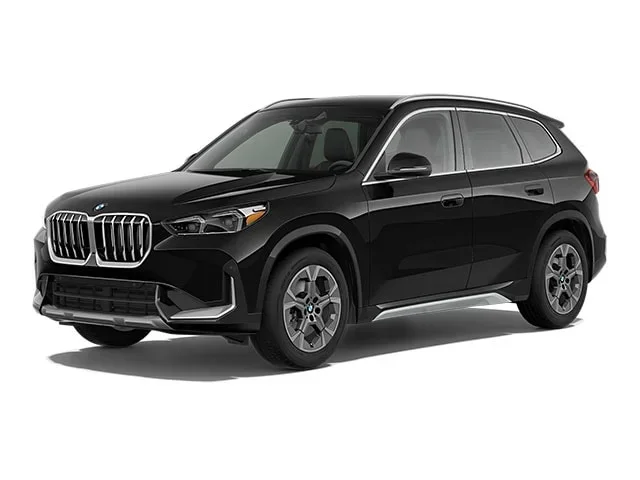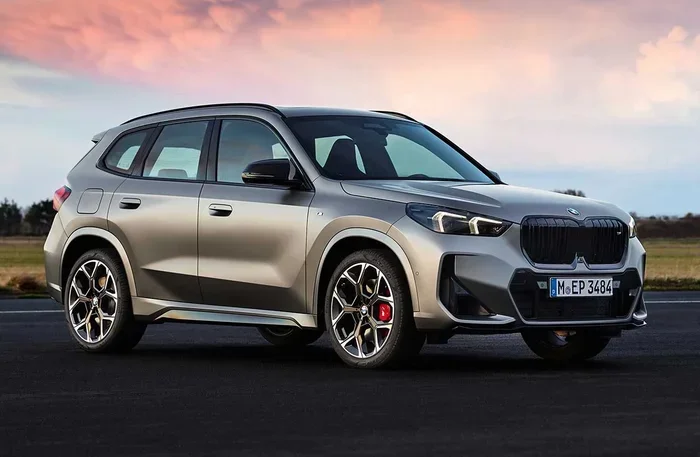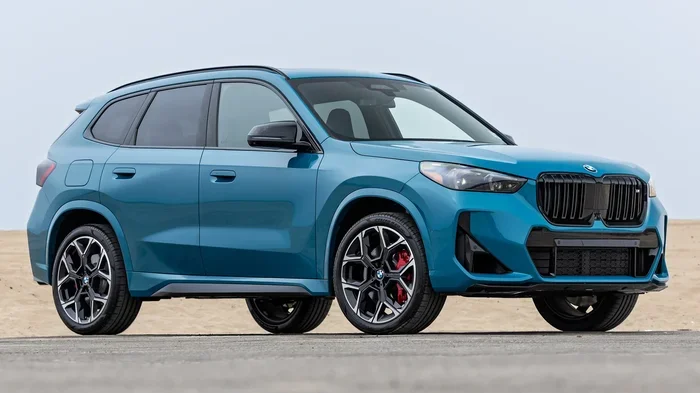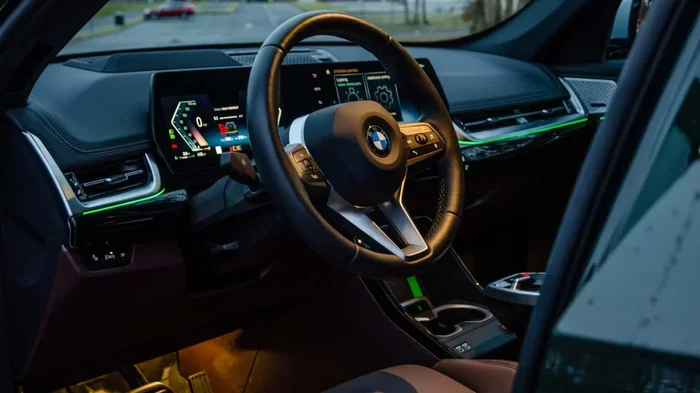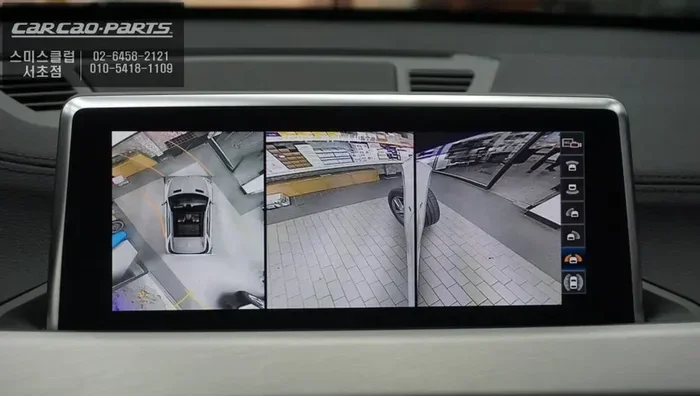
Featured image for BMW X1 surround view camera
Image source: images.oh-car.kr
Does BMW X1 have surround view? Yes, the BMW X1 offers a surround view camera system as part of the Parking Assistant Plus package on most recent models. This advanced 360-degree camera system provides a bird’s-eye view for easier parking and maneuvering in tight spaces. Availability depends on the model year, trim level, and optional packages selected.
If you’re shopping for a compact luxury SUV, you’ve probably asked yourself: does BMW X1 have surround view camera technology? It’s a smart question. Parking in tight city spots or navigating crowded lots gets much easier with a 360-degree camera system. The short answer is yes, but there’s a catch. It’s not standard on every trim. You need to know which packages to select. This guide breaks down everything you need to know about the BMW X1 surround view system, from availability to real-world performance.
Key Takeaways
- Standard vs Optional: Surround view is not standard on base models; it requires the Parking Assistant Plus package.
- Model Year Matters: 2023+ models (U11 generation) offer improved camera resolution and wider availability.
- Package Names Vary: Look for “Parking Assistant Plus” or “Parking Assistant Professional” in the options list.
- Key Features: Includes top view, panoramic view, 3D view, and remote 3D view via smartphone app.
- Retrofit Difficulty: Adding surround view after purchase is complex and often not cost-effective.
- Competitor Comparison: Similar systems exist on Audi Q3, Mercedes GLA, and Volvo XC40.
- Real-World Value: Highly recommended for urban drivers who frequently parallel park or navigate tight garages.
📑 Table of Contents
- Understanding BMW X1 Surround View Availability
- What Does the BMW X1 Surround View System Actually Do?
- Trim Level Breakdown: Where Surround View Lives
- Real-World Performance: Is It Any Good?
- Common Mistakes Buyers Make
- How to Check If a Specific X1 Has Surround View
- Is It Worth the Money?
- Maintenance and Care Tips
- Quick Tips for Mastering the System
- Frequently Asked Questions
- Conclusion
Understanding BMW X1 Surround View Availability
The surround view camera system on the BMW X1 goes by a specific marketing name. BMW calls it Parking Assistant Plus or Parking Assistant Professional depending on the model year and region. This package bundles the surround view cameras with other helpful parking technologies. You won’t find a standalone “surround view” checkbox on the order form. It lives inside these packages.
Which BMW X1 Generations Offer Surround View?
The BMW X1 has gone through three distinct generations. Surround view availability changed significantly with each one.
First Generation (E84, 2009-2015)
The original X1 did not offer a factory surround view system. Parking sensors and a basic rearview camera were the extent of the parking aids. Some owners have attempted aftermarket 360-degree camera kits. However, integration with the iDrive system is poor. We don’t recommend this route for most buyers.
Second Generation (F48, 2015-2022)
This generation introduced the surround view camera system as an option. It was bundled in the “Parking Assistant Plus” package (option code 5DN). This package became available mid-cycle, around the 2018 model year refresh (LCI). If you are buying a used 2016-2017 model, check the window sticker carefully. The feature was not available at launch.
Third Generation (U11, 2023-Present)
The current X1 makes surround view much more accessible. On the 2023+ models, Parking Assistant Professional (which includes surround view) is standard on the xDrive28i M Sport trim in the US. On the base sDrive28i, it remains an optional package. The camera resolution and processing speed improved significantly over the F48 generation.
Decoding the Package Codes
When reading a Monroney sticker (window sticker) or a used car listing, look for these codes:
- 5DN: Parking Assistant Plus (Surround View + Parking Assistant)
- 5DP: Parking Assistant Professional (Adds Remote 3D View + Automated Parking)
- ZDA: Driving Assistance Professional Package (Sometimes bundles 5DP on higher trims)
Quick Tip: On the current U11 generation, the “Professional” version (5DP) adds the ability to see a live 3D view of your car on your smartphone via the MyBMW app. This is great for checking if you’re parked straight while walking away.
What Does the BMW X1 Surround View System Actually Do?
So you have the package. What do you get? The BMW X1 surround view camera system uses four wide-angle cameras. They are mounted in the front grille, under the side mirrors, and on the tailgate handle. The software stitches these feeds together in real-time.
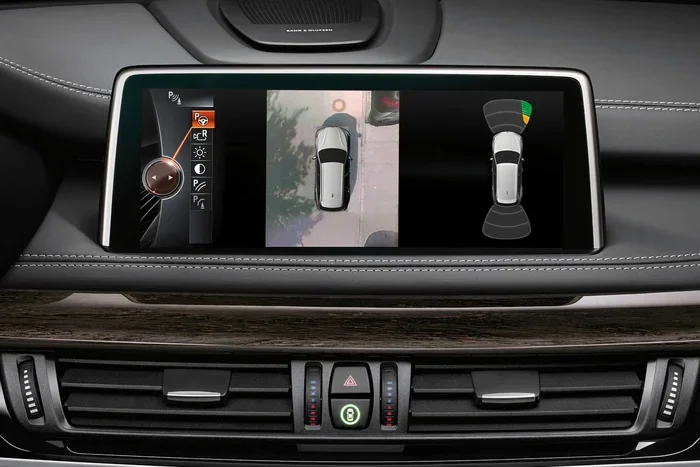
Visual guide about BMW X1 surround view camera
Image source: mediapool.bmwgroup.com
Core Camera Views
The system offers several distinct views selectable via the iDrive controller or touchscreen:
- Top View (Bird’s Eye): The signature view. A simulated overhead view of the car with trajectory lines. Perfect for centering in a parking bay.
- Panorama View: A wide 180-degree view from the front or rear camera. Ideal for pulling out of blind driveways or alleys.
- 3D View: A rotatable 3D model of the car on screen. You can spin it with your finger (touchscreen) or the iDrive knob to check specific corners.
- Remote 3D View (Professional only): View the 3D model on your phone. Requires the vehicle to be locked and alarm armed.
Integration with Parking Assistant
The cameras don’t just show you video. They feed data to the Parking Assistant logic. This enables:
- Automatic Parking: The car scans for spots (parallel or perpendicular) and steers itself in. You control only the brake and gear selector.
- Reversing Assistant: The car remembers the last 50 meters of forward driving. It can reverse exactly along that path automatically. Incredible for narrow dead-end streets.
- Maneuver Assistant: Stores complex maneuver sequences (like a tight multi-point turn in your garage) and replays them automatically.
Trim Level Breakdown: Where Surround View Lives
Availability shifts based on the specific trim and market. Below is a general guide for the US market. Always verify with a specific VIN decode.
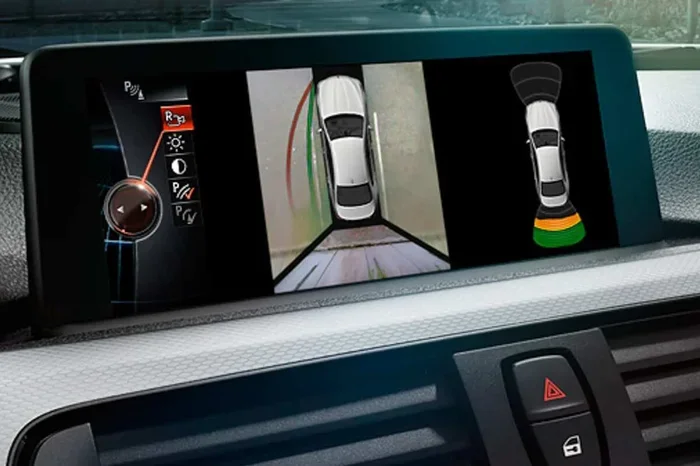
Visual guide about BMW X1 surround view camera
Image source: bimmer-tech.net
| Model Year / Generation | Base Trim (sDrive28i / xDrive28i) | M Sport / xLine Trim | Package Required |
|---|---|---|---|
| 2015-2017 (F48 Pre-LCI) | Not Available | Not Available | N/A |
| 2018-2022 (F48 LCI) | Optional | Optional | Parking Assistant Plus (5DN) |
| 2023+ (U11 Gen 3) | Optional | Standard (on xDrive28i M Sport) | Parking Assistant Professional (5DP) |
Expert Insight: On the 2023+ U11 models, the base sDrive28i often comes with “Parking Assistant” (just sensors and auto-steering) standard. You must upgrade to “Parking Assistant Professional” for the cameras. The price difference is usually $500-$700. It is money well spent.
Real-World Performance: Is It Any Good?
Specs are one thing. Daily driving is another. I’ve spent extensive time with both the F48 and U11 systems. Here is the honest breakdown.
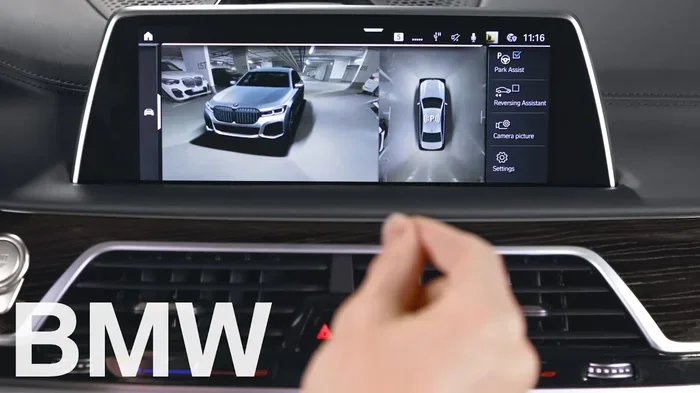
Visual guide about BMW X1 surround view camera
Image source: i.ytimg.com
Image Quality and Stitching
F48 Generation (2018-2022): The cameras are 720p equivalent. The stitching lines are visible. In low light (dark garage at night), grain is heavy. The top view looks a bit like a video game from 2010. It works, but you won’t mistake it for reality.
U11 Generation (2023+): Massive upgrade. Cameras appear to be 1080p or higher. Stitching is nearly seamless. Low-light performance is dramatically better thanks to larger sensors and better image processing. The 3D view renders smoothly at 60fps. It feels modern and premium.
Usability Quirks
- Activation Speed: On F48, there’s a 2-3 second delay when shifting to Reverse. On U11, it’s instant.
- Cleaning: The side mirror cameras get dirty fast in rain/slush. The system warns you “Camera view limited” but doesn’t clean them. No washer jets on the mirrors.
- Trajectory Lines: They adjust with steering angle. Very accurate. Trust them.
- Curb Detection: The system highlights detected obstacles in yellow/red on the top view. It catches high curbs well. Low parking blocks? Sometimes missed.
Comparison: BMW vs. The Competition
How does the BMW X1 360 degree camera stack up against rivals?
| Vehicle | System Name | Resolution Feel | Unique Feature | Standard on Entry? |
|---|---|---|---|---|
| BMW X1 (U11) | Parking Assistant Professional | High (Crisp) | Remote 3D View on Phone; Maneuver Memory | No (Opt on base, Std on M Sport) |
| Audi Q3 | Top View Camera System | High (Crisp) | Virtual 360° view on Virtual Cockpit | No (Usually Premium Plus pkg) |
| Mercedes GLA | 360° Camera (Parking Package) | Medium-High | “Transparent Hood” view (simulated) | No (Parking Package required) |
| Volvo XC40 | 360° Surround View | Medium | Excellent graphic overlay clarity | Often Standard on Plus/Ultra |
BMW wins on the “Remote 3D View” and “Maneuver Assistant” uniqueness. Audi and Mercedes match image quality. Volvo often includes it lower in the range.
Common Mistakes Buyers Make
Don’t fall into these traps when speccing or buying an X1.
Mistake 1: Confusing “Parking Assistant” with “Parking Assistant Plus/Professional”
The base “Parking Assistant” (standard on many new X1s) includes Park Distance Control (PDC) sensors front/rear and the automated steering logic for parking. It does NOT include the cameras. You see no top view. You only hear beeps and feel the wheel turn. Always verify “Plus” or “Professional” is on the build sheet.
Mistake 2: Assuming M Sport = Cameras (Pre-2023)
On the F48 generation (2015-2022), the M Sport package was purely aesthetic (wheels, bumpers, seats, steering wheel). It did not include tech packages. You had to tick the 5DN box separately. Many used listings say “M Sport” and buyers assume it’s fully loaded. Check the VIN.
Mistake 3: Thinking You Can Easily Retrofit It
Retrofitting the OEM surround view camera system requires:
- 4 Cameras + Wiring Harnesses (routing through doors, roof liner, tailgate)
- New iDrive Head Unit (often requires newer hardware generation)
- Coding/Programming (ISTA/P, FA writing, FSC codes)
- Camera Calibration (Target boards, level floor, diagnostic software)
Parts alone run $2,000-$3,000. Labor doubles that. Aftermarket “universal” 360 kits exist ($500-$1,000) but they output to a separate screen, not the factory iDrive. They lack trajectory lines and parking assistant integration. Verdict: Buy the right trim from the factory.
Mistake 4: Ignoring the “Remote 3D View” Subscription
On the U11 with Parking Assistant Professional (5DP), the Remote 3D View in the MyBMW app requires an active BMW ConnectedDrive subscription. The first few years are usually free (3-4 years). After that, it’s a paid renewal. The in-car cameras work forever without a sub. Only the phone view needs the connection.
How to Check If a Specific X1 Has Surround View
You’re at a dealership or looking at a private sale. How do you verify in 30 seconds?
Method 1: The iDrive Menu (Engine On)
- Start the car.
- Press the “Park” button (P icon) on the center console or select “Parking” on the home screen.
- Look for a “Camera” or “Surround View” tile.
- If you see “Top View,” “3D View,” or “Panorama” options -> It has it.
- If you only see “Parking Assistant” settings and sensor graphics -> It does NOT have cameras.
Method 2: The Physical Camera Check
Walk around the car. Look for tiny lenses:
- Front: In the kidney grille (passenger side lower slat usually).
- Sides: Bottom of both side mirror housings.
- Rear: Inside the trunk handle strip or just above the license plate.
If you see all four -> It has the hardware. If the mirrors are smooth and the grille has no lens -> No hardware.
Method 3: VIN Decode (Most Reliable)
Use a free VIN decoder (like bmwvin.com, mdecoder.com, or the dealer’s system). Enter the 17-digit VIN. Search the option codes for 5DN or 5DP. If present, the car has it. This works on listings where you can’t test drive.
Is It Worth the Money?
Let’s talk value. The package typically costs $500-$1,000 depending on the year and bundling.
The “Yes” Case
- You live in a city with street parking.
- Your garage is tight (standard 2-car with shelves/bikes).
- You have new drivers in the household.
- You hate curb rash on expensive wheels.
- You tow a small trailer (hitch view helps alignment).
The “Maybe Skip” Case
- You have a wide driveway and garage.
- You almost always use pull-through spots.
- You’re buying a lease return and the cost pushes you over budget.
- You have the older F48 system and find the grainy night vision annoying (test drive at night!).
Expert Take: On the 2023+ U11, it is a must-have. The integration with Reversing Assistant and the crisp display make it a daily-use feature, not just a parking novelty. On a used 2018-2022 F48, test it at night before deciding. If the car has the “Driving Assistance Professional” package (adaptive cruise, lane keep), it often forces the better camera hardware anyway.
Maintenance and Care Tips
Keep your system working perfectly with these simple habits.
Keep the Lenses Clean
This is 90% of maintenance. The four cameras are exposed.
- Rear: Wipe the lens in the trunk handle every car wash.
- Front: Check the grille slit. Bugs love it.
- Sides: The mirror cameras are the worst. Road spray coats them instantly. Keep a microfiber in the door pocket. Wipe them before you rely on the system in bad weather.
Calibration Awareness
If you have body work done (bumper replacement, mirror replacement, windshield replacement on some models), the cameras must be recalibrated. This requires a BMW dealer or a well-equipped indie shop with the target boards and ISTA software. If your top view looks “tilted” or the lines don’t match the wheels, it’s out of calibration.
Software Updates
BMW releases iDrive software updates (via USB or OTA on U11) that can improve camera stitching algorithms and low-light processing. Keep the car’s software current. Check “Software Update” in the Settings menu monthly.
Quick Tips for Mastering the System
- Split Screen: On iDrive 8/9 (U11), you can pin the camera view to the left half of the screen while keeping navigation on the right. Great for alley navigation.
- Voice Command: Say “Hey BMW, show surround view” or “Hey BMW, open 3D view.” Works faster than menus.
- Trailer Hitching: Use the “Hitch View” (zoom on rear ball) if equipped. It’s under the camera menu when a trailer is detected (or manually selected).
- Car Wash Mode: The system auto-disables sensors/cameras in car washes if you select “Car Wash Mode” in the menu. Prevents false alarms.
- Off-Road Light: On xDrive models, the front camera feed can act as a “front off-road camera” showing the terrain ahead at low speeds. Check your off-road menu.
Frequently Asked Questions
Does the BMW X1 have a 360 camera as standard?
No, the 360-degree surround view camera is not standard on the base BMW X1 sDrive28i. It is included in the Parking Assistant Professional package. However, on the 2023+ xDrive28i M Sport trim, this package is standard equipment.
Can I add surround view to my BMW X1 after purchase?
Retrofitting the factory OEM surround view system is technically possible but extremely expensive and complex, often costing $4,000-$6,000 for parts and labor. Aftermarket universal kits are cheaper but do not integrate with the factory iDrive screen or parking assistant logic. It is highly recommended to buy a model with the feature factory-installed.
What is the difference between Parking Assistant and Parking Assistant Plus?
“Parking Assistant” typically includes only parking sensors (PDC) and the automated steering function for parallel/perpendicular parking. “Parking Assistant Plus” (or Professional) adds the four surround view cameras (Top View, Panorama, 3D View) and usually the Reversing Assistant feature.
Does the BMW X1 surround view work at night?
Yes, the system works at night. On the current 2023+ U11 generation, low-light performance is excellent with minimal grain. On the previous 2018-2022 F48 generation, the image is grainier and darker, but the trajectory lines and obstacle detection remain functional.
Is the Remote 3D View free forever?
Remote 3D View requires an active BMW ConnectedDrive subscription. New vehicles typically include a 3-to-4-year free trial. After the trial expires, you must renew the subscription (usually part of the “Remote Services” or “Connected Package”) to view the 3D camera feed on your smartphone app.
Which BMW X1 model year got the best surround view upgrade?
The 2023 model year (U11 generation) received the most significant upgrade. It features higher resolution cameras, seamless stitching, much better low-light performance, a smoother 3D rendering engine, and the addition of Remote 3D View via the MyBMW app.
Conclusion
So, does BMW X1 have surround view? Absolutely. It’s a fantastic system, especially on the newest generation. But it hides inside option packages with confusing names. Remember: look for Parking Assistant Plus (5DN) on 2018-2022 models and Parking Assistant Professional (5DP) on 2023+ models. Don’t confuse it with the base “Parking Assistant” which only has sensors.
If you’re buying new, stretch for the package. The 2023+ U11 system is genuinely useful every single day. If you’re buying used, verify with a VIN decode or the iDrive menu check. And whatever you do, keep those four little camera lenses clean. They are the eyes of the system. A dirty lens makes a $1,000 tech feature useless.
Happy parking. You’ve got this.