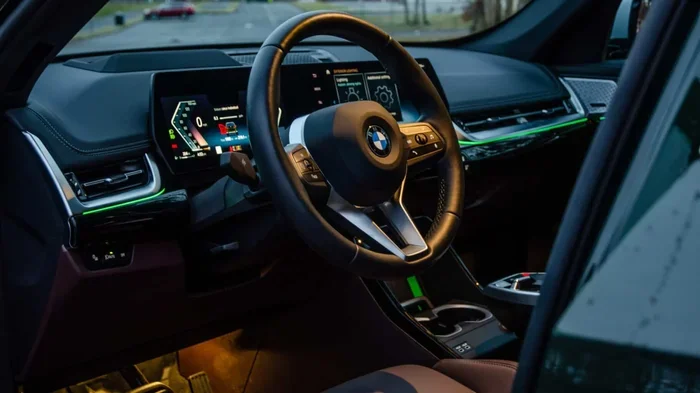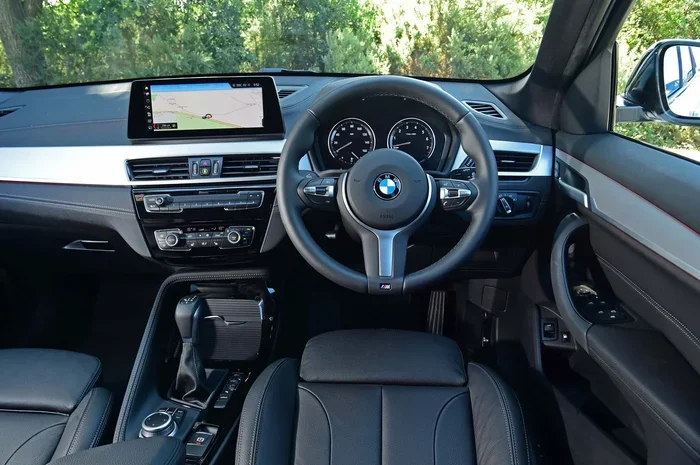
Featured image for BMW X1 interior dashboard
Image source: media.drivingelectric.com
Learning how to drive BMW X1 automatic is straightforward once you understand the unique gear selector, driving modes, and advanced driver aids. This guide covers everything from starting the engine and using the Steptronic transmission to mastering Sport mode, Eco Pro, and the parking assistant. You will gain the confidence to handle your compact luxury SUV in any situation.
Sliding into the driver’s seat of a BMW X1 feels special. The seating position is high, the view is commanding, and the interior screams modern luxury. But if you are new to the brand or switching from a traditional automatic, the controls might look a little alien. There is no traditional PRNDL lever sticking up from the center console. Instead, you get a sleek toggle switch. The good news? How to drive BMW X1 automatic is actually easier and more intuitive than older designs once you know the logic.
This guide walks you through every step. We cover the startup sequence, the quirky gear selector, the driving dynamics switch, and the high-tech safety nets that make this SUV so relaxing to pilot. Whether you are navigating a tight city parking garage or cruising the highway with adaptive cruise control, you will finish this article ready to enjoy the Ultimate Driving Machine experience.
Key Takeaways
- Start correctly: Press the brake pedal and push the Start/Stop button; the engine fires up silently in most modern models.
- Master the shifter: The BMW X1 uses a toggle-style gear selector; push forward for Reverse, pull back for Drive, and press the P button for Park.
- Use Driving Modes: Switch between Eco Pro, Comfort, and Sport via the toggle switch to match your mood and road conditions instantly.
- Leverage xDrive: The all-wheel-drive system sends power to the wheels with the most grip automatically for rain, snow, or gravel.
- Trust the Parking Assistant: Let the car scan for spots and steer itself into parallel or perpendicular spaces while you control the speed.
- Know the Brake Hold: Activate Auto Hold to keep the car stationary at lights without keeping your foot on the brake pedal.
- Read the symbols: Dashboard icons alert you to everything from low tire pressure to active safety systems; learn the critical ones first.
📑 Table of Contents
- Getting Comfortable: Seat, Mirrors, and Steering Wheel
- Starting Up: The BMW Ritual
- Mastering the Gear Selector: The Toggle Switch
- Understanding the Steptronic Transmission
- Driving Dynamics Control: Eco Pro, Comfort, Sport
- Mastering xDrive All-Wheel Drive
- Advanced Driver Assistance: Your Co-Pilot
- Parking and Maneuvering: The Easy Way
- Dashboard Symbols: What Is That Light?
- Fueling, Charging, and Daily Habits
- Winter Driving Specifics
- Towing and Load Management
- Troubleshooting Common “New Owner” Issues
- Pro Tips for the Enthusiast
- Maintenance Mindset: Keep It Sharp
- Conclusion
Getting Comfortable: Seat, Mirrors, and Steering Wheel
Before you even touch the start button, take sixty seconds to set up your cockpit. The X1 has a highly adjustable driving position. Getting this right reduces fatigue and maximizes visibility.
Adjusting the Seat for Command
Use the electronic controls on the side of the seat. Raise the seat height until you have a clear view over the hood and the digital instrument cluster. Move the base forward until your knees are slightly bent when the brake pedal is fully depressed. Adjust the backrest so your wrists rest naturally on the top of the steering wheel when your arms are extended. Don’t forget the lumbar support; dial it in to support the curve of your lower back.
Steering Wheel and Mirror Setup
Pull the lever under the steering column. Telescope the wheel toward your chest, not your face. Tilt it so you can see the top of the instrument cluster over the rim. Lock it in place. Set your side mirrors using the selector knob on the driver’s door. Angle them so you barely see the side of your own car. This minimizes blind spots. The rearview mirror should frame the entire rear window.
Quick Tip: Save Your Profile
If you share the car, press the “M” button on the seat or use the iDrive menu to save your seat and mirror positions to a driver profile. The car will recognize your key fob and move everything automatically when you unlock the doors.
Starting Up: The BMW Ritual
BMW has used a Start/Stop button for years. It replaces the traditional key ignition. The process is simple but requires a specific sequence.
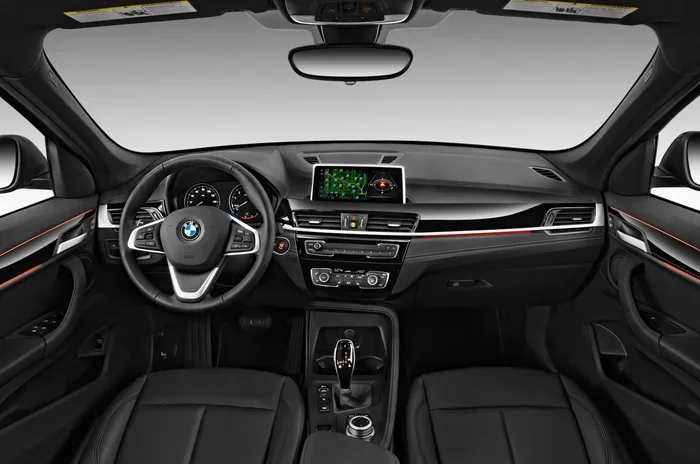
Visual guide about BMW X1 interior dashboard
Image source: motortrend.com
Step-by-Step Startup
- Enter the car with the key fob in your pocket or bag. The car detects it via Comfort Access.
- Press the brake pedal firmly with your right foot. Keep it pressed.
- Press the Start/Stop button (usually on the right side of the steering column or dashboard). It glows green when ready.
- Release the button once the engine fires. The tachometer will settle at idle (around 600-800 RPM), or the needle may disappear entirely if you are in a plug-in hybrid model running on electric power.
- Check the cluster. Ensure no red warning lights remain. Amber lights (like low fuel or tire pressure) need attention soon but allow driving.
Common Mistake: Not Pressing the Brake
If you press the button without your foot on the brake, the car enters “Accessory Mode” (radio on, climate on) or “Ignition On” (all systems active, engine off). You cannot shift out of Park without the brake pedal depressed. This is a safety feature.
Mastering the Gear Selector: The Toggle Switch
This is the biggest learning curve for new BMW drivers. The X1 uses a electronic shifter mounted on the center console. It is a spring-loaded toggle that always returns to the center position. The current gear displays on the instrument cluster and the Head-Up Display (if equipped).
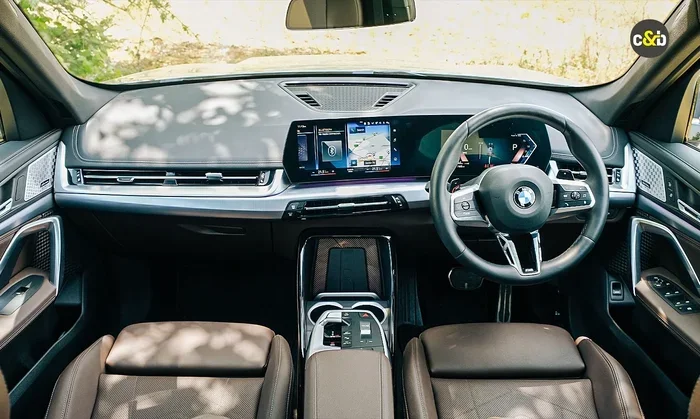
Visual guide about BMW X1 interior dashboard
Image source: images.carandbike.com
The Gear Positions Explained
- P (Park): Press the dedicated P button on the side or top of the shifter. This locks the transmission. Engage this only when stopped. The car engages Park automatically if you turn off the engine or open the driver’s door with the seatbelt unbuckled.
- R (Reverse): With the brake pressed, push the lever forward (away from you). It springs back to center. The display shows “R”. The rearview camera and parking sensors activate automatically.
- N (Neutral): Push the lever forward or backward briefly and hold for a second (or tap it gently depending on model year) without braking. Use this for car washes or towing. The car rolls freely.
- D (Drive): Pull the lever backward (toward you). It springs back. The display shows “D”. This is your standard forward gear.
- B (Brake/Regeneration): In plug-in hybrid (xDrive25e/30e) or mild hybrid models, pull the lever backward again while in D. This engages engine braking or regenerative braking for steep descents.
Expert Insight: The “Spring Back” Logic
Because the lever returns to center, you cannot “feel” the gear by hand position. You must glance at the instrument cluster to confirm “D”, “R”, or “P”. Make this a habit every time you shift. It takes two days to become muscle memory.
Understanding the Steptronic Transmission
The BMW X1 typically uses a 7-speed or 8-speed Steptronic dual-clutch or torque-converter automatic (depending on model year and engine). It is designed for smoothness and speed.
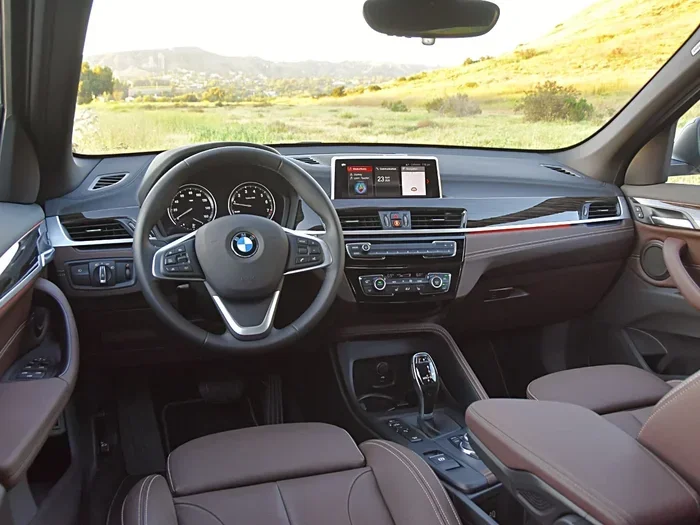
Visual guide about BMW X1 interior dashboard
Image source: cdn.jdpower.com
Automatic Mode (Drive “D”)
In standard Drive, the computer handles everything. It selects gears based on throttle input, speed, and the selected Driving Mode. It is remarkably smooth. For daily commuting, leave it here. The transmission learns your style over time via adaptive shift logic.
Manual Mode & Paddle Shifters
Want control? Tap the left paddle shifter (-) or right paddle shifter (+) behind the steering wheel once. The display changes from “D” to “M1” through “M7/8”. You now control shifts. The car will still protect the engine (upshifting at redline, downshifting before stall). To return to full auto, hold the right paddle (+) for one second or shift the lever to D again.
Quick Tip: Temporary Manual Override
Tap a paddle while in “D”. You get temporary manual control for about 5-10 seconds (or until you stop accelerating). The display shows “M” briefly then reverts to “D”. Perfect for a quick downshift before a corner without committing to full manual mode.
Driving Dynamics Control: Eco Pro, Comfort, Sport
The toggle switch labeled “ECO PRO / COMFORT / SPORT” (sometimes on the center console, sometimes integrated into the iDrive controller area) changes the car’s personality instantly. It adjusts throttle response, shift points, steering weight, and climate control energy usage.
Eco Pro Mode: Maximum Efficiency
Select this for city traffic or long highway trips where fuel economy matters. The throttle becomes lazy (you press harder for the same acceleration). The transmission upshifts early (often skipping gears) and holds high gears. The A/C compressor runs less aggressively. Coasting function decouples the engine when you lift off the gas at speed. Learn exactly what Eco Pro does for your fuel economy here.
Comfort Mode: The Daily Sweet Spot
This is the default setting. It balances smooth shifts, light steering, and responsive-enough throttle. The suspension (if equipped with adaptive dampers) softens for potholes. Start here every day. It suits 90% of driving scenarios.
Sport Mode: Sharpened Reflexes
Push the toggle to Sport (or Sport+ on M Sport models). The engine map sharpens. Throttle response is instant. The transmission holds gears longer, downshifts earlier under braking, and shifts faster. Steering weight increases. The exhaust note may deepen (active sound design). The instrument cluster often turns red. Use this for on-ramp merges, twisty back roads, or overtaking.
Individual Mode: Your Custom Blend
Via iDrive, you can create “Individual” mode. Example: Sport powertrain + Comfort suspension + Eco Pro climate. This lets you have a loud, fast engine with a soft ride for bad roads.
Mastering xDrive All-Wheel Drive
Most X1 models sold in North America feature xDrive. It is a front-biased all-wheel-drive system. Under normal driving, 100% of power goes to the front wheels. When slip is detected, an electronically controlled multi-plate clutch sends up to 50% of torque to the rear axle in milliseconds.
Driving in Rain and Snow
You don’t need to press a “Snow” button. Just drive. The system reacts faster than you can blink. In Comfort or Eco Pro, it prioritizes stability. In Sport, it allows a bit more rear-wheel slip for fun before clamping down. Fit proper winter tires; xDrive helps you go, but only tires help you stop and turn.
Hill Descent Control (If Equipped)
On steep, loose descents, press the button with the icon of a car on a slope with a speedometer. The car maintains a crawling speed (walking pace) using ABS and engine braking. You steer; the car brakes each wheel individually. Take your feet off the pedals.
Advanced Driver Assistance: Your Co-Pilot
The X1 packs impressive tech. These systems reduce fatigue but require your supervision. Keep hands on the wheel.
Adaptive Cruise Control with Stop & Go
Activate via the steering wheel buttons. Set your speed. Set your following distance (1 to 4 bars). The car accelerates, brakes, and stops completely in traffic. If stopped for less than 3 seconds, it moves off automatically. Longer stops require a tap of the resume button or a light tap on the accelerator.
Steering and Lane Keeping Assistant
On highways with clear lines, the car centers itself in the lane. It works with Adaptive Cruise. The instrument cluster shows a green steering wheel icon. If you remove hands, visual then audible warnings escalate. Eventually, the car brakes to a stop in its lane (Emergency Stop Assistant).
Traffic Jam Assistant (Higher Trims)
In slow traffic (under ~40 mph), the system can handle steering, braking, and accelerating hands-free if you are watching the road (camera monitors your eyes). Check local laws and your specific vehicle equipment.
Parking and Maneuvering: The Easy Way
The X1 grows around you when parking. It feels smaller than it is.
Parking Assistant Professional
Press the “P” button on the center console (icon: P with steering wheel). The car scans for parallel or perpendicular spots at low speed. Select a spot on the screen. Take hands off the wheel. Control only the accelerator and brake. The car steers perfectly into the lines. It handles forward and reverse maneuvers.
Reversing Assistant
This is a lifesaver in tight driveways or dead ends. If you drove forward into a spot, hold the Reversing Assistant button. The car memorizes the last 50 meters of steering inputs. It then drives backward exactly along that path, steering itself, while you control speed. It exits you perfectly.
Surround View Cameras
Tap the camera icon on iDrive or shift to Reverse. You get a 360-degree “bird’s eye” view. Use the touchscreen to swipe views: front curb, rear tow hitch, side wheels. Great for avoiding curbs on low-profile run-flat tires. Speaking of tires, understanding your run-flat tires helps you avoid sidewall damage when parking close to curbs.
Auto Hold (Brake Hold)
Press the “AUTO H” button near the shifter (icon: A inside a circle with brackets). When active, the car holds the brakes at a complete stop even if you remove your foot. Touch the accelerator to release. It saves your leg in stop-and-go traffic. The indicator lights green in the cluster.
Dashboard Symbols: What Is That Light?
Modern BMWs speak in hieroglyphics. Red means stop immediately. Amber means service soon. Green/Blue means a system is active. Here is a full guide to BMW dashboard symbols.
Critical Red Lights
- Oil Can: Low oil pressure. Stop engine immediately.
- Battery: Charging failure. You have minutes before stall.
- Brake (Circle with parentheses): Parking brake engaged OR brake fluid low/ system fault.
- Thermometer in liquid: Overheating. Pull over.
Common Amber Lights
- Check Engine (Engine block): Emissions fault. Safe to drive gently, scan codes soon.
- Tire Pressure (Horseshoe with exclamation): Check pressures at next stop.
- ABS Circle: Anti-lock brake fault. Brakes work, but no ABS assist.
- Steering Wheel with Exclamation: Power steering assist reduced/fault.
Green/Blue Info Lights
- Green Car with waves: Adaptive Cruise active.
- Green Steering Wheel: Lane Keeping active.
- Blue Headlight: High beams on.
- Green “A” with circle: Auto Start/Stop active (engine off at light).
Fueling, Charging, and Daily Habits
Small habits keep the X1 running like new.
Refueling (Gas/Diesel)
Unlock the car. Press the rear edge of the fuel flap. It pops open. Turn the cap counter-clockwise. It hangs on a tether. Insert nozzle. The car accepts regular unleaded (RON 91 / AKI 87 minimum), but BMW recommends Premium 91+ AKI for performance and longevity. The engine adjusts timing for lower octane but loses power and efficiency.
Charging (Plug-in Hybrid xDrive25e/30e)
Open the charge port flap (front left fender). Plug in. The charge port LED pulses green. Schedule charging via iDrive or the My BMW App to use off-peak electricity rates. Set a departure time; the car pre-conditions the cabin (heat/AC) using wall power, saving battery range.
Auto Start/Stop System
The engine shuts off at stops to save fuel. It restarts instantly when you release the brake. If you hate it, press the “A” button with a circular arrow (near the start button) to disable for the current drive. It resets to “On” every key cycle.
Winter Driving Specifics
The X1 is competent in winter, but physics applies.
Tires Are Everything
Run-flat all-seasons harden below 45°F (7°C). They become hockey pucks. Invest in a dedicated winter wheel/tire set. It transforms the car. The xDrive system shines with proper rubber.
Wiper Service Position
To lift wipers for snow clearing: Turn ignition off. Within 4 seconds, hold the wiper stalk up (single wipe position) for 3 seconds. Wipers pop up to vertical. Put them down before driving.
Frozen Charge Port / Door Handles
Pre-condition the car via the app 10 mins before leaving. The battery warms, the cabin heats, and ice melts off the charge port and frameless door windows. If a handle freezes, push it in firmly to break the seal, then pull.
Towing and Load Management
The X1 can tow (typically up to 3,500 lbs / 1,600 kg braked, check your specific VIN sticker). Engage Trailer Stability Control automatically when a trailer plug is detected. Use Sport mode for better engine braking on descents. Check tire pressures for “Full Load” specs on the door jamb sticker.
Troubleshooting Common “New Owner” Issues
Car Won’t Start / Clicking Noise
Key fob battery dead? Hold the fob against the steering column (right side) or the center console charging pad (if equipped) while pressing Start/Stop. The car reads the passive RFID chip inductively.
Shifter Stuck in Park
Brake lights not working? Check the brake light switch (common fault). There is a mechanical override: remove the small cover near the shifter base, insert a screwdriver, push the lever while pressing brake.
Navigation / iDrive Freezes
Hold the volume knob / power button down for 20-30 seconds. The system hard reboots. No data loss.
Pro Tips for the Enthusiast
- Launch Control (M35i/xDrive28i M Sport): Sport+ mode, DSC OFF (hold button 3-5 secs), left foot brake hard, right foot floor gas. Wait for flag icon/engine revs to stabilize. Release brake. Violent but effective.
- Coding/Customization: BimmerCode app + OBD adapter lets you enable digital speedo, disable seatbelt chime, fold mirrors via key fob hold, etc.
- Tire Pressure Reset: After inflating, go iDrive > Car > Vehicle Status > Tire Pressure > Perform Reset. Drive 10 mins to calibrate.
- Hidden Menu: Hold “Menu” + “Controller” + “Back” (or similar combo depending on iDrive gen) for engineering data (battery regen, oil temp real-time).
Maintenance Mindset: Keep It Sharp
Driving well includes maintaining well. The X1 uses Condition Based Servicing (CBS). The car tells you what needs service and when based on actual usage, not just mileage. Check iDrive > Vehicle Status > Service Requirements.
- Oil: Every 10k-12k miles or 12 months (LL-01 FE 0W-20 or 0W-30). Don’t stretch it.
- Brake Fluid: Every 2 years. Hygroscopic fluid boils under hard braking if old.
- Coolant: Lifetime fill? Check level annually. Top up with BMW Blue (G48) or Green (HT-12) depending on build date. Choose the correct coolant color here.
- Microfilter: Every 2 years / 40k miles. Keeps cabin air clean and HVAC strong.
Conclusion
You now have a complete roadmap for how to drive BMW X1 automatic confidently. We covered the unique toggle shifter, the personality-shifting driving modes, the brilliant xDrive traction, and the semi-autonomous helpers that make traffic bearable. The X1 is a sophisticated machine that rewards a driver who understands its language. Spend your first week consciously practicing the P-R-D toggle, experimenting with Eco Pro vs Sport on your commute, and letting the Parking Assistant blow your mind once. Soon, these actions become invisible. You just drive. Enjoy the view, enjoy the torque, and welcome to the family. Drive safe.
Frequently Asked Questions
How do I put a BMW X1 in Neutral for a car wash?
With the engine running and brake pedal released, push the gear selector lever forward or backward briefly and hold it for about one second until “N” displays in the instrument cluster. The car will stay in Neutral until you shift again or turn off the engine. Remember to engage Drive before hitting the gas.
What does the B mode do on the BMW X1 gear selector?
Pulling the shifter backward twice (from Drive) engages B mode, which stands for Brake or Regeneration. It increases engine braking or regenerative braking force when you lift off the accelerator. This is ideal for steep downhill grades to save your friction brakes and, on hybrids, put energy back into the battery.
Can I turn off Auto Start/Stop permanently on a BMW X1?
There is no factory setting to disable it permanently; it defaults to “On” every time you start the car. You must press the “A” button (circular arrow) near the start button after each startup to deactivate it for that drive cycle. Some aftermarket coding tools can change the default memory.
How do I use the BMW X1 paddle shifters?
Tap the right paddle (+) to upshift and the left paddle (-) to downshift. A single tap enters temporary manual mode (“M” appears briefly). Holding the right paddle (+) for one second returns to fully automatic “D” mode. The transmission will still protect the engine from over-revving or lugging.
What is the difference between Comfort and Sport mode in the X1?
Comfort mode prioritizes smoothness: softer suspension (if adaptive), earlier upshifts, lighter steering, and gentle throttle. Sport mode sharpens everything: heavier steering, higher RPM shift points, faster shifts, aggressive throttle mapping, and a louder exhaust note. Sport+ adds traction control relaxation for spirited driving.
Why does my BMW X1 beep when I open the door?
This usually means the car is not in Park (P) or the engine is still running. Check the instrument cluster for “P” or “Ready” status. If the car is in Neutral or Drive, it beeps to warn you. Press the P button on the shifter and ensure the engine is off (press Start/Stop) before exiting.