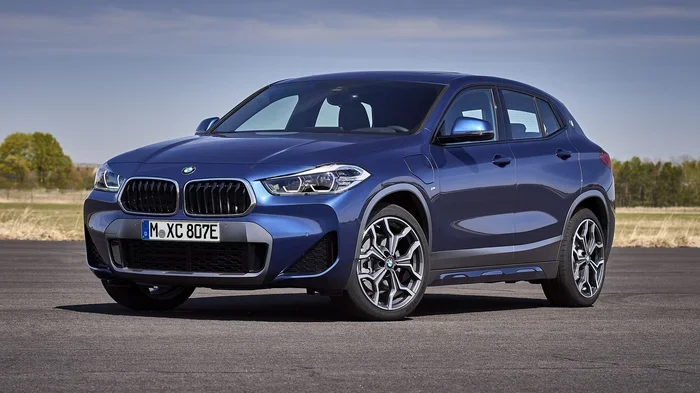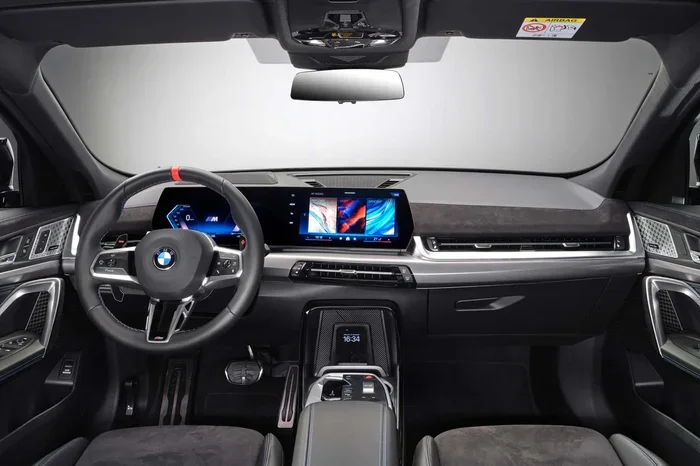
Featured image for BMW X2 interior dashboard
Image source: gmauthority.com
How to turn on all wheel drive BMW X2 is simpler than most drivers think because the xDrive system engages automatically when sensors detect wheel slip. You don’t press a button to activate it; instead, you manage driving modes like Snow or Sport to optimize the system’s response for specific conditions. This guide explains the technology, dashboard indicators, and maintenance tips to keep your all-wheel drive performing at its best.
If you just bought a BMW X2 with xDrive, you might be searching for a button labeled “AWD” or “4×4” on the center console. Here is the short answer: there isn’t one. The system is designed to be invisible until you need it. Understanding how to turn on all wheel drive BMW X2 models really means understanding how to let the car do its job while you select the right driving mode for the weather. This guide walks you through the technology, the modes, and the maintenance that keeps the system sharp.
Key Takeaways
- No Manual Button Exists: The BMW X2 xDrive system is fully automatic and engages instantly when the front wheels lose traction.
- Driving Modes Matter: Selecting Snow mode or Sport mode pre-loads the system for faster reaction times in slippery or dynamic driving.
- Dashboard Lights Confirm Status: The “xDrive” badge or DSC light flashing indicates the system is actively managing torque distribution.
- Tires Are Critical: Matching tread depths and using approved run-flat tires prevent drivetrain stress and false activation.
- Eco Pro Saves Fuel: This mode biases power to the front wheels until slip is detected, maximizing efficiency during normal commuting.
- Maintenance Prevents Failure: Regular transfer case fluid changes and brake fluid flushes keep the electronic clutch pack operating smoothly.
- It Is Not a True Off-Roader: The system excels on pavement, gravel, and snow but lacks low-range gearing for serious rock crawling.
📑 Table of Contents
- Understanding the BMW X2 xDrive System
- How to Optimize AWD Using Driving Modes
- Reading the Dashboard: Is AWD Working?
- The Critical Role of Tires in xDrive Performance
- Maintenance: Keeping the System Alive
- Troubleshooting Common xDrive Quirks
- Comparison: BMW X2 sDrive vs. xDrive
- Expert Insights: Getting the Most From Your X2
- Quick Tips for xDrive Owners
- Common Mistakes to Avoid
- BMW X2 Reliability and the xDrive Factor
- Conclusion
Understanding the BMW X2 xDrive System
The BMW X2 uses a system called xDrive. Unlike traditional four-wheel drive trucks that use a mechanical transfer case lever, the X2 uses an electronically controlled multi-plate clutch pack. This clutch sits inside the transmission housing (on 8-speed models) or attached to the front transaxle (on 7-speed dual-clutch models). It connects the front and rear axles.
Under normal dry pavement driving, the X2 is effectively a front-wheel-drive car. The system sends 100% of the torque to the front wheels. This saves fuel and reduces wear. The magic happens in milliseconds. When the sensors detect the front wheels spinning faster than the rears, the electronic control unit (ECU) applies pressure to the clutch pack. Torque flows rearward instantly. It can send up to 50% of the engine’s torque to the rear axle.
Why There Is No “On” Switch
BMW engineered xDrive to be predictive and reactive. A manual switch creates lag. You might forget to turn it on before hitting ice. You might leave it on and burn extra fuel on the highway. The automatic system removes human error. It monitors wheel speed, steering angle, throttle position, and yaw rate hundreds of times per second. It knows you need traction before you do.
The Difference Between xDrive and sDrive
It is vital to check your specific model badge. An sDrive badge means front-wheel drive only. No amount of mode switching will send power to the rear wheels on an sDrive model. An xDrive badge confirms the hardware is present. If you are unsure, check your window sticker or the VIN decoder. The hardware difference is physical; software cannot add a rear driveshaft and clutch pack.
How to Optimize AWD Using Driving Modes
While you cannot “turn on” the hardware manually, you absolutely change how it behaves via the Driving Experience Control switch. This toggle (usually near the shifter) cycles through Eco Pro, Comfort, Sport, and sometimes Adaptive. Each mode rewrites the software logic for the clutch pack.
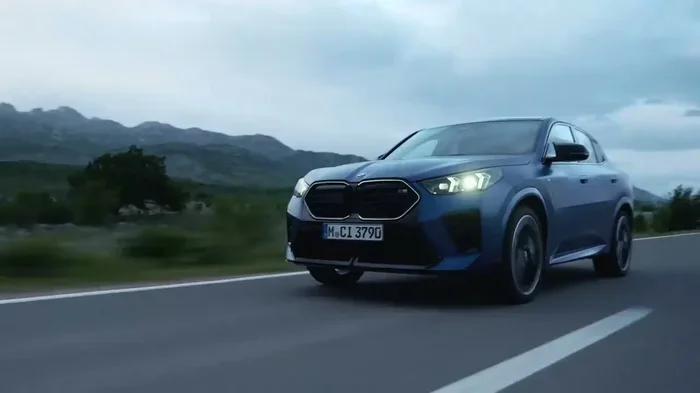
Visual guide about BMW X2 interior dashboard
Image source: motortrend.com
Eco Pro Mode: Maximum Efficiency
In Eco Pro, the computer prioritizes fuel economy. It keeps the clutch pack disengaged longer. It allows more front-wheel slip before engaging the rear. The throttle response is softened. This is your default mode for dry highways. It effectively makes the car FWD until absolutely necessary. If you want to understand the full scope of this mode, read our guide on what Eco Pro means on BMW.
Comfort Mode: Balanced Daily Driving
This is the standard setting. The engagement threshold is lower than Eco Pro. The system reacts faster to slip. It offers a smooth, unobtrusive transition between FWD and AWD. Use this for rain, light snow, or mixed conditions where you want peace of mind without aggressive intervention.
Sport Mode: Performance Handling
Sport mode changes the game. The clutch pack pre-loads. It keeps a small amount of torque flowing rearward (often 10-20%) even without slip. This reduces understeer. The car rotates better in corners. The DSC (Dynamic Stability Control) allows more wheel spin before cutting power. This mode is for dry, winding roads or spirited driving. It uses more fuel because the drivetrain drag is constant.
Snow Mode: The Winter Specialist (If Equipped)
Many newer X2 models feature a dedicated Snow mode accessible via the touchscreen or a long press of the mode button. This is the ultimate “turn on AWD” setting for winter. It starts in 2nd gear to reduce torque spike. It engages the rear axle proactively. It allows controlled wheel spin to dig through deep snow. It softens brake interventions. If you live in a snowy climate, this mode is your best friend.
Off-Road Mode: Limited Availability
Some X2 models with the M Sport package or specific option codes offer an Off-Road mode. This maximizes rear torque bias and allows significant wheel speed differences side-to-side (simulating locking diffs via braking). It is designed for gravel, mud, or sand. It is not a low-range substitute. Use it only on loose surfaces; it binds the drivetrain on pavement.
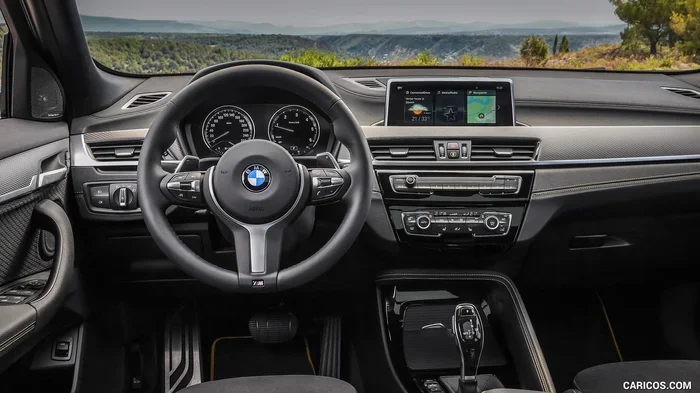
Reading the Dashboard: Is AWD Working?
Since there is no “AWD ON” light, how do you know it is working? You watch the instrument cluster.
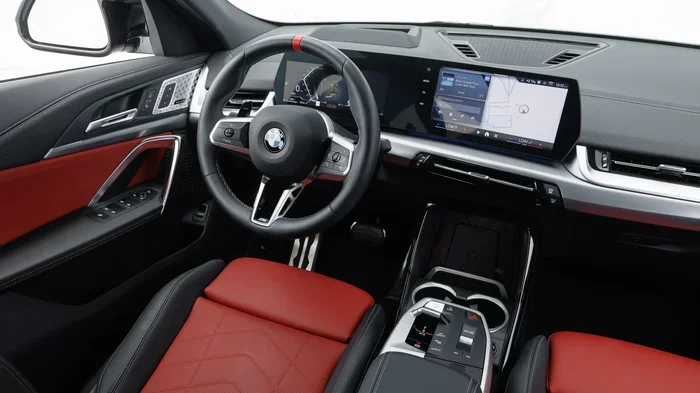
Visual guide about BMW X2 interior dashboard
Image source: images.caricos.com
The DSC Indicator Light
Look for the triangle with a circular arrow (or a car with squiggly lines). When you accelerate hard on snow or wet leaves, this light flashes. That is your confirmation. The system detected slip, engaged the rear clutch, and likely applied braking force to the spinning wheel. It is working perfectly. If the light stays solid yellow, the system has a fault or is disabled. Restart the car. If it stays on, visit a dealer.
The xDrive Graphic (Digital Cluster)
If your X2 has the Live Cockpit Professional (digital dash), you can select the “xDrive” view. It shows a real-time torque split diagram. You will see a bar graph or animated wheels showing power flowing to the rear. It is a great visual confirmation that the system is active.
Warning Lights to Watch
If you see “Drivetrain Malfunction” or a gear symbol with an exclamation point, the xDrive control module has detected a hardware fault. The car may lock into FWD limp mode to protect the clutch pack. Do not ignore this. It often relates to the transfer case actuator motor or the output shaft sensors. Understanding these symbols is crucial; our article on what BMW symbols mean breaks down every dashboard icon.
The Critical Role of Tires in xDrive Performance
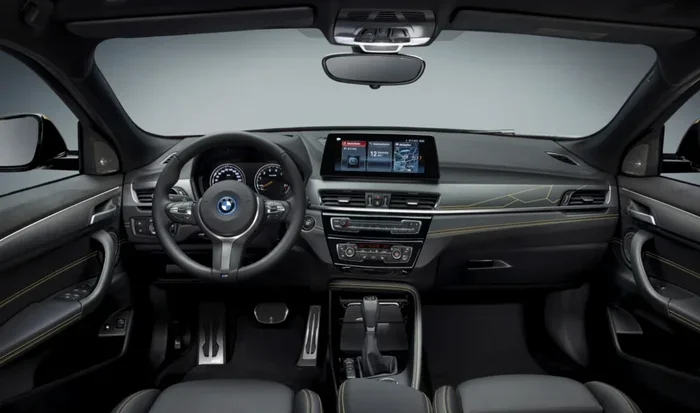
This is the most overlooked aspect of how to turn on all wheel drive BMW X2 effectively. The xDrive computer relies on wheel speed sensors. It compares the rotational speed of all four tires. If your tires are mismatched—different brands, different tread depths, or different sizes—the computer sees false “slip” data. It engages the clutch pack constantly. This overheats the fluid, wears the clutch plates, and ruins fuel economy.
Visual guide about BMW X2 interior dashboard
Image source: autosnuff.com
The Golden Rule: Match All Four
- Same Brand & Model: Different rubber compounds grip differently.
- Same Tread Depth: Keep variance under 2/32nds of an inch (approx 1.5mm).
- Same Size: Never mix staggered fitments on an xDrive model unless factory specified (rare on X2).
If you get a flat and the other three tires are worn, you often must replace all four. Shaving a new tire to match old tread is an option some shops offer, but replacing the set is safer for the expensive drivetrain.
Run-Flat Tires and AWD
Most X2s come with run-flat tires (RFT). They have stiff sidewalls. This stiffness changes the rolling circumference slightly compared to non-run-flats. Never mix run-flats and standard tires on the same axle, and ideally not on the same car. The stiffness difference confuses the stability control. For a deep dive on why BMW uses them and how to care for them, see our piece on BMW run-flat tires design benefits and care.
Winter Tires: The Real “AWD On” Switch
All-wheel drive helps you accelerate. It does not help you stop or turn. Four winter tires on an sDrive X2 will outperform an xDrive X2 on all-seasons in every winter metric: braking distance, cornering grip, and hill climbing. If you drive in snow, budget for a dedicated winter wheel set. It is the single best upgrade for the xDrive system.
Maintenance: Keeping the System Alive
The xDrive clutch pack bathes in fluid. That fluid degrades with heat cycles. The front differential (integrated in the transmission) and the rear differential (on the rear axle) also have fluid. Neglecting these leads to “judder” on tight turns (binding) or complete failure of the actuator motor.
Transfer Case / Clutch Pack Fluid
BMW calls this “lifetime fluid.” Experts disagree. Change it every 40,000 to 60,000 miles. Use only BMW-approved fluid (typically TF 9000 or similar spec). This is a DIY job if you have a lift and a fluid pump, but many owners prefer a specialist. Fresh fluid ensures smooth, instant engagement.
Rear Differential Fluid
The rear diff on the X2 is small. It holds about 0.5 liters. Change it at the same interval as the transfer case. Use 75W-90 GL-5 or the specific BMW Hypoid oil. Clean fluid prevents the clutch packs inside the diff (if equipped with electronic limited slip) from chattering.
Brake Fluid: The Hidden AWD Component
xDrive uses the brakes to vector torque. If the left front wheel spins, the DSC applies the left front brake. This sends torque across the axle to the right front, and via the center clutch, to the rear. Old, water-logged brake fluid boils under heavy DSC use (like climbing a snowy hill). This causes a spongy pedal and loss of torque vectoring. Flush brake fluid every 2 years regardless of mileage. For specs, check our guide on selecting the ideal brake fluid for your BMW model.
Troubleshooting Common xDrive Quirks
Sometimes the system feels “off.” Here is how to diagnose the feel.
Binding or Groaning in Tight Turns
You turn the steering wheel full lock in a parking lot. You hear a groan or feel the car “hop.” This is driveline binding. It usually means the clutch pack is not releasing fully. Causes: worn fluid, failed actuator motor, or mismatched tires. Do a fluid change first. If it persists, the actuator or clutch pack needs replacement.
Delayed Engagement on Ice
You floor it on glare ice. The engine revs, nothing happens for a second, then bang it hooks up. This is often the actuator motor getting lazy. The motor moves the apply piston. Carbon brushes wear out. The motor moves slower. A fluid change helps, but often the actuator motor (mounted on the transmission side) needs replacement. It is a known wear item on high-mileage xDrive cars.
“Drivetrain Malfunction” on Hard Acceleration
You merge onto a highway. The car hits limp mode. Dash says “Drivetrain. Drive moderately.” This is often the output shaft speed sensor or the actuator position sensor. The computer loses track of where the clutch piston is. It shuts down AWD to prevent damage. Read codes with a BMW scanner (ISTA or Carly). Clear the code; if it returns immediately, it’s a sensor or wiring harness issue.
Comparison: BMW X2 sDrive vs. xDrive
Choosing between the two? Here is a quick breakdown.
| Feature | BMW X2 sDrive (FWD) | BMW X2 xDrive (AWD) |
|---|---|---|
| Weight | Lighter (~150 lbs less) | Heavier (added driveshaft, clutch, diff) |
| Fuel Economy (EPA Combined) | Better (e.g., 28 MPG) | Slightly Lower (e.g., 26 MPG) |
| 0-60 mph (Dry) | Slower (traction limited) | Faster (better launch grip) |
| Snow/Ice Traction | Poor without winter tires | Excellent with all-seasons; Superior with winters |
| Maintenance Cost | Lower (no rear diff, transfer case) | Higher (fluids, actuator potential failure) |
| Handling Balance | Understeer prone | Neutral / Adjustable (Sport mode) |
| Resale Value (North) | Lower demand | High demand / Premium price |
Verdict: If you see snow, rain, or gravel roads regularly, xDrive is worth the penalty. If you live in Florida or Southern California and never leave pavement, sDrive saves money upfront and at the pump.
Expert Insights: Getting the Most From Your X2
I have driven every generation of BMW compact SAV. Here are three pro tips that manuals don’t tell you.
Expert Insight 1: The “Brake Tap” Trick. Stuck in deep snow with one front wheel spinning? Left foot brake lightly while giving gas with right foot. This mimics a locking differential. The DSC sees brake pressure and engine torque, clamping the center clutch harder and braking the spinning wheel. It works wonders to get you moving.
Expert Insight 2: Disable DSC for Deep Snow Starts. If you are buried to the axles, the stability control cuts power too aggressively. Hold the DSC button for 3-5 seconds until “DSC OFF” shows solid. Rock the car gently (Drive-Reverse-Drive). Re-enable DSC immediately once moving. This is the only time you should fully disable it.
Expert Insight 3: Check Your Tire Pressures Monthly. xDrive is sensitive to rolling diameter. A 3 PSI difference front-to-rear changes the effective diameter enough to trigger constant clutch engagement. Run the door jamb pressures exactly. Check them cold.
Quick Tips for xDrive Owners
- Use Snow Mode: Don’t just leave it in Comfort when it snows. Snow mode changes the shift points and clutch logic dramatically.
- Don’t “Warm Up” the AWD: Driving gently for the first mile warms the fluids faster than idling. Cold fluid is thick; the clutch engages harshly.
- Carry a Square Drive Bit: The transfer case fill plug is often a 14mm or 17mm hex (Allen). Keep the bit in your trunk tool kit for trail-side checks.
- Software Updates: Ask your dealer for “ISTA programming” during service. BMW releases xDrive calibration updates that smooth engagement and fix false fault codes.
- Tow Correctly: Never tow an xDrive X2 with two wheels on the ground. The spinning rear wheels will spin the transfer case clutch with no lubrication (engine off = no pump pressure). Flatbed only.
Common Mistakes to Avoid
- Mistake 1: Buying One Used Tire. Replacing a single blown tire on an AWD car is the fastest way to a $3,000 transfer case repair. Match the set.
- Mistake 2: Ignoring the “Drivetrain” Warning. Limp mode protects the hardware. Driving in limp mode on the highway generates massive heat in the clutch pack. Pull over.
- Mistake 3: Using Chains on xDrive. Most X2 wheel wells are too tight for chains. They shred brake lines and ABS sensors. Use winter tires or approved cable chains (check manual for specific size clearance).
- Mistake 4: Thinking AWD = Invincibility. Physics still applies. xDrive helps you go. It does not help you stop. Drive for conditions.
- Mistake 5: Skipping Brake Fluid. As mentioned, the hydraulic brake system is the torque vectoring mechanism. Water in the fluid = failed vectoring = stuck car.
BMW X2 Reliability and the xDrive Factor
Is the xDrive system reliable? Generally, yes. The current generation (U10 chassis) uses a robust 7-speed dual-clutch transmission with an integrated transfer case (on sDrive28i/xDrive28i) or the 8-speed Aisin with a bolt-on transfer case (on M35i). The actuators are improved over the older F39 generation. However, complexity adds cost. If you are cross-shopping used models, reliability history matters. You can explore broader brand reliability in our article on identifying the most reliable BMW models for longevity.
The M35i xDrive is the performance king. It uses a Torsen limited-slip differential on the front axle plus the xDrive clutch. This gives true mechanical lockup front and electronic rear bias. It is a completely different animal than the base xDrive28i. Know which you have.
Conclusion
Mastering how to turn on all wheel drive BMW X2 models comes down to one realization: you don’t turn it on; you configure it. The hardware is always listening. Your job is to speak its language through the driving mode selector. Use Snow mode for winter, Sport mode for canyon carving, and Eco Pro for the daily commute. Back that up with matched tires, fresh fluids, and good brake maintenance. Do that, and the xDrive system will deliver seamless traction for years. It is one of the best AWD implementations in the compact luxury class—silent, instant, and effective. Trust the sensors, pick your mode, and enjoy the grip.
Frequently Asked Questions
Does the BMW X2 have a button to turn on all-wheel drive?
No, the BMW X2 xDrive system does not have a manual on/off button. It is a fully automatic system that engages the rear wheels within milliseconds when the front wheels lose traction. You manage the system’s sensitivity by selecting driving modes like Snow, Sport, or Eco Pro.
How do I know if my BMW X2 all-wheel drive is working?
You know the system is working when the DSC (Dynamic Stability Control) light flashes on your dashboard during acceleration on slippery surfaces. If your car has the digital Live Cockpit, you can also select the xDrive display to see a real-time graphic of torque distribution between the front and rear axles.
Can I turn off AWD on a BMW X2 to save gas?
You cannot mechanically disconnect the all-wheel drive system. However, selecting Eco Pro mode biases the system heavily toward front-wheel drive, keeping the rear axle disengaged until significant slip is detected. This maximizes fuel efficiency during normal driving conditions.
What is the best driving mode for snow in a BMW X2?
The dedicated Snow mode is the best setting for winter driving. It starts the car in second gear to prevent wheel spin, pre-engages the rear axle for immediate traction, and adjusts stability control thresholds to allow momentum-building wheel spin in deep snow.
Do I need to change the fluid in the BMW X2 transfer case?
Yes. While BMW labels the fluid as “lifetime,” most independent specialists recommend changing the transfer case (clutch pack) fluid and rear differential fluid every 40,000 to 60,000 miles. Fresh fluid prevents clutch shudder, ensures instant engagement, and extends the life of the expensive actuator motor.
Will mismatched tires damage my BMW X2 xDrive system?
Yes. Running tires with different tread depths, brands, or sizes forces the xDrive computer to detect constant false wheel slip. This causes the clutch pack to engage continuously, leading to overheating, binding in turns, and premature failure of the transfer case components. Always replace tires in sets of four.