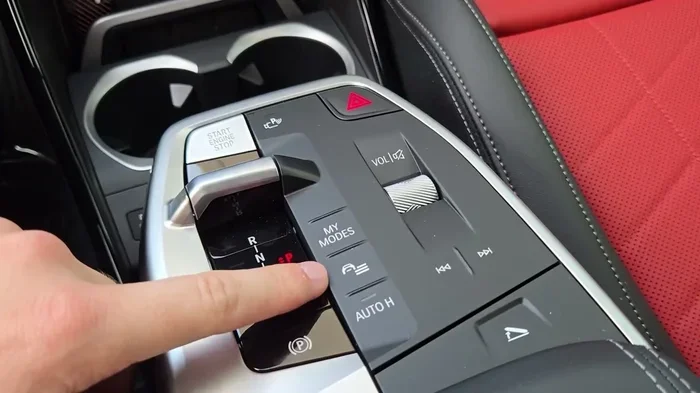
Featured image for BMW X1 interior start button
Image source: i.ytimg.com
how to start bmw x1 automatic is an essential topic that provides valuable insights.
Starting a modern BMW X1 feels different than turning a metal key in an ignition barrel. Since the first generation received a major refresh and especially on the current U11 chassis, how to start BMW X1 automatic vehicles relies entirely on a proximity-based system. There is no physical ignition cylinder to turn. Instead, you carry a key fob, press a brake pedal, and push a button. It sounds simple, but there are nuances—like the steering wheel lock, Comfort Access sensors, and the Digital Key Plus feature—that can confuse new owners or catch experienced drivers off guard when something goes wrong.
This guide covers every scenario. We will walk through the standard daily routine, explain the advanced keyless features, detail the emergency backup procedure for a dead fob, and troubleshoot the most common reasons your X1 refuses to wake up. Whether you drive a 2016 model or a brand-new 2025 xDrive28i, the core logic remains the same. Let’s dive in.
Key Takeaways
- Press the Brake First: You must press and hold the brake pedal before pressing the Start/Stop button to crank the engine.
- Key Fob Presence is Mandatory: The vehicle detects the key fob inside the cabin; if the battery is dead, hold the fob against the steering column emblem to start.
- Comfort Access Convenience: With Comfort Access, you can unlock doors and start the engine without ever removing the key fob from your pocket or bag.
- Remote Start Saves Time: Use the BMW key fob (3x lock) or the My BMW App to start the engine remotely and activate climate control.
- Check Transmission Position: The selector lever must be in Park (P) or Neutral (N) for the engine to start.
- Dashboard Lights Self-Check: Every startup triggers a bulb check; pay attention to lights that stay on, as they indicate issues needing service.
- Steering Lock Release: If the steering wheel is locked, wiggle it gently while pressing the Start/Stop button to release the tension.
📑 Table of Contents
- The Standard Startup Procedure: Step-by-Step
- Understanding Ignition States: Accessory vs. On vs. Start
- Advanced Keyless Features: Comfort Access & Digital Key
- Remote Engine Start & Pre-Conditioning
- The Emergency Procedure: Dead Key Fob Battery
- Troubleshooting: Why Won’t My X1 Start?
- Model Year Differences: F48 (2016-2022) vs U11 (2023+)
- Hybrid & Electric Specifics (xDrive25e / iX1)
- Shutting Down Correctly: The “Goodnight” Routine
- Maintenance Tips for Reliable Starts
- Quick Tips Cheat Sheet
- Common Mistakes to Avoid
- Expert Insight: The “Double Press” Habit
- Conclusion
The Standard Startup Procedure: Step-by-Step
Before you explore fancy features, you need to master the baseline method. This works on every automatic BMW X1 produced in the last decade, provided the key fob battery has juice and the car battery is charged.
1. Enter the Vehicle and Sit Down
Open the door using the handle (or Comfort Access sensor). Sit in the driver’s seat. Close the door. Buckle your seatbelt. The car’s electronics wake up the moment you open the door or sit on the seat sensor, priming the fuel pump and running system checks.
2. Verify the Transmission is in Park (P)
Look at the gear selector on the center console (or the steering column stalk on newer models). It must show P. If it shows D, R, or N, the engine will not crank. The starter motor is inhibited for safety. If the car is in Neutral (N), it might start on some model years, but Park is the correct, standard position.
3. Press and Hold the Brake Pedal
This is the single most common mistake. You must press the brake pedal firmly and hold it down. Do not tap it. Do not hover over it. The Start/Stop button illuminates green (or white, depending on model year) indicating the engine is ready to crank. If you press the button without the brake, you only toggle the ignition state (Accessory -> On -> Off). You will hear chimes and see screens light up, but the engine stays silent.
4. Press the Start/Stop Button
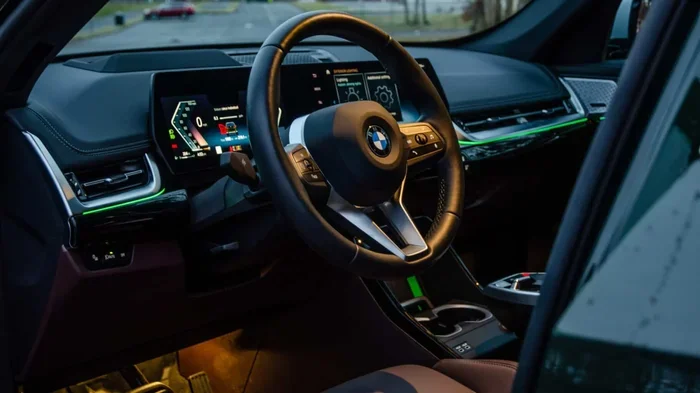
With the brake held, press the Start/Stop button (usually located to the right of the steering wheel on the dashboard, or on the center console in older F48 models). Release the button immediately once the engine cranks. Do not hold it down. The engine will fire up. The tachometer needle will rise, and the “Ready” indicator appears on the instrument cluster.
5. Release the Brake and Drive
Once the engine idles smoothly (usually instant on gas models, a split second on diesels/hybrids), release the brake pedal. Move the selector to Drive (D) or Reverse (R). Release the parking brake (electronic button on the console) if it didn’t auto-release. You are moving.
Understanding Ignition States: Accessory vs. On vs. Start
Many owners accidentally leave the car in “Accessory” or “On” mode, draining the 12V battery. Knowing the difference saves you a jump start.
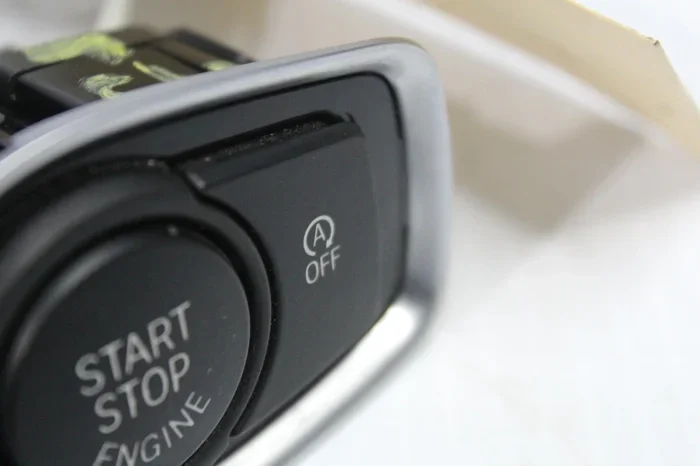
Visual guide about BMW X1 interior start button
Image source: performancespareswarehouse.com.au
- Off (Locked): Car is asleep. Doors locked. No lights on dash.
- Accessory Mode (Radio/ACC): Press Start/Stop button without touching the brake. You can use the infotainment, power windows, and charge phones. The engine is off. Cluster shows time/temp only.
- Ignition On (KL15): Press Start/Stop button again without brake. All dashboard lights illuminate (bulb check). Fuel pump primes. HVAC fans work. Engine is still off. This is for diagnostics or checking oil level via iDrive.
- Engine Running: Press Start/Stop button with brake pressed. Engine starts. All systems active.
Pro Tip: If you sit in the car to make a call or wait for someone, keep it in Accessory Mode (one press, no brake). Do not leave it in “Ignition On” (two presses, no brake) for more than a few minutes, or the battery will drain rapidly running the fuel pump and ECUs.
Advanced Keyless Features: Comfort Access & Digital Key
If your X1 is equipped with Comfort Access (standard on higher trims, optional on base), your daily routine gets smoother. You never need to take the fob out of your pocket.
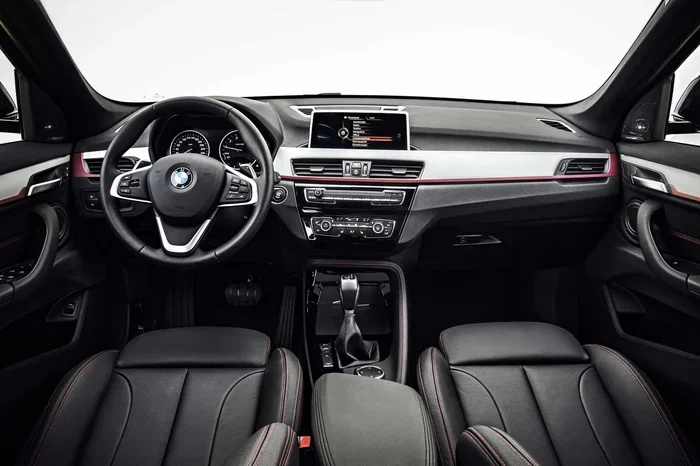
Visual guide about BMW X1 interior start button
Image source: mediapool.bmwgroup.com
How Comfort Access Works
Sensors in the door handles and the rear bumper detect the fob within ~1.5 meters (5 feet).
- Unlock: Grab the door handle (touch the inside sensor area). The car unlocks instantly.
- Lock: Touch the ridged sensor on the outside of the door handle (or press the small button on the handle on newer models) with the fob in your pocket. The car locks, mirrors fold (if coded), and alarm arms.
- Trunk/Hatch: Kick your foot under the rear bumper sensor (hands-free tailgate) or press the button on the hatch handle.
- Start: Since the car detects the fob inside the cabin, you just press the brake and push the Start button. No slot insertion required.
BMW Digital Key Plus (Ultra-Wideband)
Newer X1 models (2023+) support Digital Key Plus on compatible iPhones (iPhone 11 or newer) and Apple Watches (Series 6+). You add the key to Apple Wallet. The phone uses Ultra-Wideband (UWB) tech for precise location.
- You can leave the physical fob at home.
- Unlock/Start works even if the phone battery is dead (Power Reserve mode lasts ~5 hours).
- You can share keys digitally with family via iMessage with time restrictions.
- Crucial: To start with Digital Key, place the phone on the wireless charging tray (or just keep it in the cabin) and press brake + Start button.
If you are unsure if your model has Comfort Access, check your window sticker or iDrive menu: Vehicle > Doors > Comfort Access. You can also read more about decoding your specific vehicle’s equipment in our guide on decoding BMW vehicle designations.
Remote Engine Start & Pre-Conditioning
Want a warm car in January or a cool cabin in July? The X1 offers two ways to start the engine remotely.
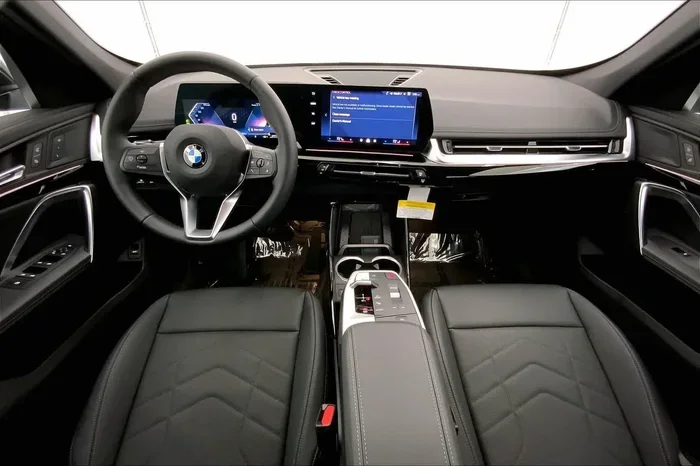
Visual guide about BMW X1 interior start button
Image source: bmwofspokane.com
Method 1: The Key Fob (Standard on most automatics)
- Ensure the car is locked.
- Press the Lock button (round BMW logo) on the fob three times rapidly (within 1-2 seconds).
- Turn signals flash. Engine starts.
- Climate control activates at the last used setting (or “Last User Mode”).
- Engine runs for 15 minutes max (configurable in iDrive up to 30 mins).
- To enter: Unlock with fob, get in, press brake, press Start button to “take over” driving mode.
Method 2: My BMW App (ConnectedDrive)
- Open the My BMW App on your smartphone.
- Tap “Remote Engine Start” (or “Climatize” for EVs/PHEVs).
- Confirm with PIN/FaceID.
- Car starts. You can track runtime on the app.
- Works from anywhere with cellular data (unlike fob range limit of ~300ft).
This feature is fantastic for clearing frost or cooling leather seats. For a deep dive on how the climatize function manages your cabin air quality and temperature remotely, check out our article on what does climatize do on a BMW.
The Emergency Procedure: Dead Key Fob Battery
This is the scenario every owner dreads: you press the brake, hit the button, and the dash screams “Key Not Detected” or shows a key symbol with a slash. Don’t panic. BMW engineered a passive RFID backup.
The “Hold to Steering Column” Trick
- Press the brake pedal and hold it.
- Take the physical key fob (not the phone).
- Hold the flat side of the fob (the side with the BMW logo) directly against the Start/Stop button or the steering column trim (marked with a key symbol on newer models).
- Press the Start/Stop button with the fob holding against it.
- The car reads the passive NFC/RFID chip inside the fob (requires zero battery power). Engine starts.
Immediate Action: Drive to a drugstore or dealer and replace the CR2032 coin cell battery immediately. It costs $5 and takes 30 seconds. Pry the fob shell open with the valet key (hidden inside the fob) or a small flathead. Positive side (+) faces up. Snap it shut. For a detailed walkthrough on sourcing the correct battery and opening the specific fob style for your model year, see our guide on finding the right battery for your BMW key fob.
Troubleshooting: Why Won’t My X1 Start?
If the standard procedure fails, run through this checklist before calling roadside assistance.
1. “Key Not Detected” / Key Symbol on Dash
- Cause: Dead fob battery, fob left in trunk (trunk acts as Faraday cage sometimes), interference from phone/wallet, or fob broken.
- Fix: Use emergency start procedure above. Replace battery. Ensure fob is in cabin (cup holder, seat, pocket).
2. Clicking Noise / Dash Lights Flicker / “Increased Battery Discharge”
- Cause: Dead 12V main battery (in trunk or under hood). Very common on short-trip city cars.
- Fix: Jump start via terminals under hood (red cap +, chassis ground -). Drive 30+ mins to recharge. Test/Replace battery (AGM required, needs registration/coding).
3. Steering Wheel Locked / “Turn Steering Wheel” Message
- Cause: Parked on a hill with wheels turned. Steering column lock pin binds under tire pressure.
- Fix: Press brake. Grab steering wheel firmly with left hand. Wiggle/turn wheel slightly left and right (1-2 inches) to relieve tension. While wiggling, press Start/Stop button with right hand. It will release.
4. “Depress Brake Pedal” Message Shows But You Are Pressing It
- Cause: Brake light switch failure (common on older F48), or not pressing hard enough (sensor needs firm pressure), or vacuum pump issue (diesel).
- Fix: Press brake very firmly. Pump it once with engine off to build vacuum, then hold and press Start. If persistent, switch needs replacement.
5. Selector Lever Not in P / Transmission Fault
- Cause: Shifter not fully in Park. Mechatronic sleeve leak (common on 8HP transmissions). Software glitch.
- Fix: Firmly shove selector to P. Try Neutral (N) + Brake + Start. If “Drivetrain Malfunction” appears, read codes. Learn more about this specific error in our breakdown of proven BMW drivetrain malfunction meaning.
6. Engine Cranks But Won’t Fire (Long Crank)
- Cause: High-pressure fuel pump (HPFP), fuel pump relay, crankshaft position sensor, or empty gas tank (gauge faulty).
- Fix: Verify fuel level. Listen for fuel pump prime (buzz from rear) when unlocking door. If no buzz, check fuse 057 (trunk fuse box). Tow to shop.
Model Year Differences: F48 (2016-2022) vs U11 (2023+)
The fundamental “Brake + Button” logic is identical, but the hardware layout changed.
| Feature | F48 Generation (2016–2022) | U11 Generation (2023–Present) |
|---|---|---|
| Start Button Location | Center Console (near shifter) | Dashboard (right of steering wheel) |
| Gear Selector | Traditional Lever (Console) | Steering Column Stalk (Toggle Switch) |
| Key Fob Shape | Diamond/Rectangular (Display Key optional) | Rectangular “Pebble” (No Display Key) |
| Digital Key Support | NFC Digital Key (Android/Apple – limited) | Digital Key Plus (UWB – Apple Only) |
| Instrument Cluster | Analog Dials + Central LCD | Fully Digital BMW Curved Display |
| Remote Start (Fob) | 3x Lock Button | 3x Lock Button |
| Emergency Start Spot | Hold fob against Start Button on Console | Hold fob against Steering Column Trim |
Note on the U11 Shifter: The new stalk on the steering column works like a toggle. Push forward for Reverse (R), pull back for Drive (D), press the P button on the side/end for Park. It springs back to center. You must press the P button to engage Park before shutting off if you want the car to stay in Park (though it auto-Parks when door opens/seatbelt off).
Hybrid & Electric Specifics (xDrive25e / iX1)
If you drive a Plug-in Hybrid (PHEV) or the electric iX1, “starting” feels different because there is no engine noise initially.
Plug-in Hybrid (xDrive25e / xDrive30e)
- Follow standard procedure: Brake + Start Button.
- Cluster shows “Ready” symbol (green car with plug/leaf).
- Engine stays OFF. Car runs on electric motor.
- Gas engine kicks in automatically under hard acceleration, high speed, low battery, or cold temps.
- Use “eDrive” button (console) to force EV mode or Save Battery mode.
Electric (iX1)
- No “Engine Start.” It is “Vehicle On.”
- Brake + Start Button -> “Ready” appears instantly. Total silence.
- No creep by default (can enable in iDrive).
- Pre-conditioning via App is standard and highly recommended while plugged in to save range.
Shutting Down Correctly: The “Goodnight” Routine
How you turn off the car affects the next startup.
- Bring car to complete stop.
- Press P button on shifter (U11) or move lever to P (F48).
- Press Start/Stop button once. Engine stops. Electronics stay on (Radio/ACC).
- Unbuckle seatbelt. Open door. Car enters “Terminal 15 Off” -> Systems shut down.
- Lock car via Comfort Access sensor (touch door handle) or fob button. Mirrors fold. Lights off. Alarm armed.
Warning: If you press Start/Stop button without putting it in Park first, the car goes to “Accessory” mode. It will chime angrily at you when you open the door. You must press P, then press Start/Stop again to fully kill it.
Maintenance Tips for Reliable Starts
A no-start situation is usually a maintenance item ignored too long.
12V Battery Health (The #1 Culprit)
BMWs are hypersensitive to voltage. An AGM battery lasts 5-7 years. When it degrades, you get “Increased Battery Discharge” warnings, comfort access stops working (car sleeps deeper to save power), and eventually, a click-no-start.
- Test voltage annually (12.6V resting, 14.4V running).
- Register new battery via BimmerCode, Carly, or ISTA at shop. Skip registration = overcharging/undercharging = dead new battery fast.
- Use a CTEK charger if car sits > 2 weeks.
Key Fob Battery
Replace CR2032 every 18-24 months proactively. Keep a spare in the glovebox (inside the hidden valet key compartment).
Brake Fluid & Switch
Old brake fluid absorbs water -> internal corrosion -> brake light switch failure -> car won’t detect brake press -> no start. Flush fluid every 2 years. This relates to selecting the correct fluid type; learn more in our guide on selecting the ideal brake fluid for your BMW model.
Software Updates
Check iDrive: Settings > Software Update. Or use My BMW App. Updates fix startup logic bugs, key detection range, and transmission selector calibration.
Quick Tips Cheat Sheet
- Car won’t lock? Fob likely still inside (trunk/cabin). Car prevents lock-in.
- Windows open after lock? Hold Lock button on fob (comfort close) or touch door handle sensor longer.
- Auto Start/Stop annoying? Press the “A off” button (circle with A) on console/dash to disable for current trip. Not permanent.
- Valet Key: The metal blade inside the fob only unlocks the driver’s door manually. It cannot start the car (no transponder). It cannot unlock the glovebox.
- Fuel Flap: Unlocks with doors. Push rear edge to open. No interior lever.
Common Mistakes to Avoid
- Mistake: Tapping the brake pedal instead of holding it. Result: Ignition cycles to On, engine doesn’t start.
- Mistake: Holding the Start/Stop button down for 3+ seconds. Result: Forces emergency shutdown (if driving) or does nothing (if starting). Just press and release.
- Mistake: Leaving car in “Ignition On” (dashboard lit up) while washing car or waiting. Result: Dead 12V battery in 20-30 mins.
- Mistake: Forcing the shifter out of Park without brake pressed. Result: Breaks shift interlock cable/mechanism (expensive).
- Mistake: Using non-AGM battery or skipping registration. Result: Electrical gremlins, alternator damage, repeat failure.
Expert Insight: The “Double Press” Habit
Many drivers develop a habit: Press Start (no brake) -> See dash lights -> Press Start (with brake). This is unnecessary wear on the starter button and runs the fuel pump/ECUs extra cycles. Best Practice: Sit. Belt. Brake. Press Start once. The car does the bulb check and starts in one smooth motion. Trust the engineering.
Conclusion
Mastering how to start BMW X1 automatic models is about understanding the logic: Brake + Button + Fob Present = Go. Once that muscle memory is set, the advanced features—Comfort Access, Digital Key, Remote Start—become genuine quality-of-life upgrades rather than confusing tech. Remember the emergency backup (fob to steering column) for dead batteries, respect the 12V battery health, and keep your software updated. Your X1 is a sophisticated machine; treat the startup ritual with a little knowledge, and it will reward you with years of instant, reliable ignition. Now, get in, buckle up, press that brake, and enjoy the drive.
Frequently Asked Questions
How do I start my BMW X1 if the key fob battery is dead?
Hold the flat side of the key fob (the side with the BMW logo) directly against the Start/Stop button or the marked area on the steering column trim. While holding it there, press the brake pedal and press the Start/Stop button. The car reads the passive RFID chip inside the fob, which requires no battery power.
Why does my BMW X1 say “Key Not Detected” when the fob is in my pocket?
This usually means the key fob battery is low, or there is radio interference from a phone, laptop, or other electronic device nearby. Try moving the fob to the center console cup holder or the wireless charging tray. If that works, replace the fob battery (CR2032) immediately.
Can I remote start my BMW X1 from the key fob?
Yes, on most automatic models. Ensure the car is locked. Press the BMW roundel (Lock) button on the key fob three times in quick succession (within ~1 second). The lights will flash, and the engine will start. It will run for 15 minutes (configurable in iDrive) before shutting off automatically.
What is the difference between pressing the Start button with and without the brake pedal?
Pressing the button without the brake cycles the ignition states: Off -> Accessory (Radio) -> Ignition On (Dash lights/Fuel pump) -> Off. Pressing the button with the brake pedal pressed cranks the engine and starts the car.
My steering wheel is locked and the car won’t start. What do I do?
This happens when parking with wheels turned. Press and hold the brake pedal. Grab the steering wheel firmly with both hands and wiggle it left and right (about 1-2 inches) to relieve pressure on the locking pin. While wiggling, press the Start/Stop button. The lock will release, and the engine will start.
Does the BMW X1 have a physical key slot for the fob?
No, modern BMW X1 models (F48 and U11 generations) do not have a physical ignition slot for the key fob. The fob stays in your pocket, bag, or the wireless charging tray. The only physical key is the hidden metal blade inside the fob, used solely to manually unlock the driver’s door if the car battery is completely dead.