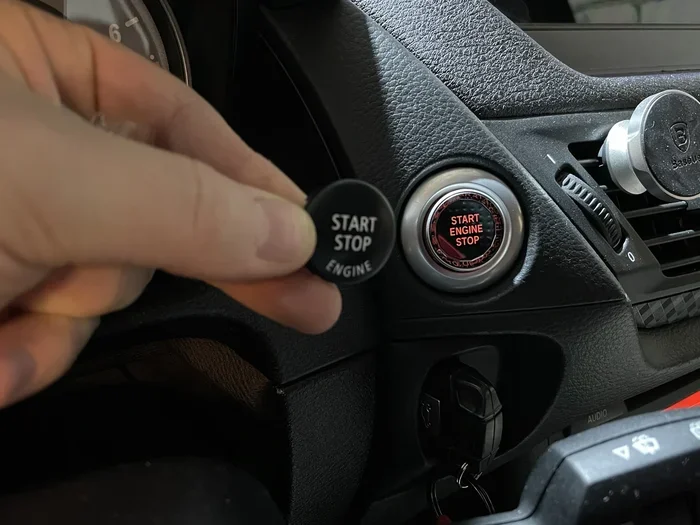
Featured image for BMW X1 start button closeup
Image source: a.d-cd.net
Mastering how to start BMW X1 vehicles is simple once you understand the push-button ignition system. This guide walks you through the standard starting procedure, explains what to do if your key fob battery dies, and covers common reasons why your SUV might not crank. You will also learn about remote start options and essential maintenance tips to ensure reliable ignition every time.
Getting into your new SUV should be exciting, not confusing. If you are figuring out how to start BMW X1 models for the first time, you are in the right place. Modern BMWs use a keyless push-button ignition system that works differently than traditional key-turn ignitions. It relies on proximity sensors, brake pedal signals, and transmission position sensors. Once you know the sequence, it becomes second nature. This guide covers everything from the basic daily routine to emergency backup methods and troubleshooting.
We will break down the standard startup sequence, show you the hidden trick for a dead key fob battery, and explain what those dashboard lights mean. We also cover remote start features and maintenance tips to keep your vehicle firing up instantly. Whether you have a brand-new 2024 model or a used F48 generation, the core principles remain the same. Let’s dive in.
Key Takeaways
- Press the brake pedal: You must press the brake pedal firmly while pressing the Start/Stop button to crank the engine.
- Key fob detection: The car detects the key fob inside the cabin; if the battery is dead, hold the fob against the steering column pictogram.
- Gear selector in Park: The transmission must be in Park (P) or Neutral (N) for the engine to start.
- Steering lock release: If the steering wheel is locked, wiggle it slightly while pressing the start button to release tension.
- Remote start availability: Many newer models offer remote engine start via the key fob (triple lock) or the MyBMW app.
- Check warning lights: Always glance at the instrument cluster after startup for any red or yellow warning symbols.
- Battery health matters: A weak 12V battery is the most common cause of no-start conditions; test it regularly.
📑 Table of Contents
- Understanding the BMW X1 Ignition System
- Standard Starting Procedure: Step-by-Step
- Emergency Start: Dead Key Fob Battery
- Troubleshooting: BMW X1 Won’t Start
- Remote Start and Advanced Features
- Maintenance for Reliable Starts
- Understanding Dashboard Symbols on Startup
- Quick Tips Cheat Sheet
- Expert Insight: The “Double Press” Myth
- Conclusion
Understanding the BMW X1 Ignition System
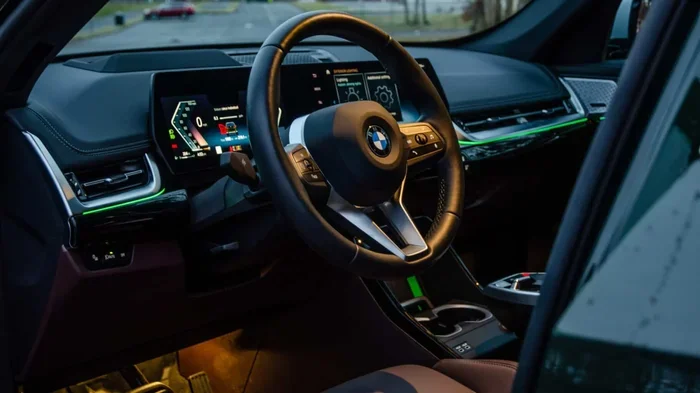
The BMW X1 does not use a physical key that turns in a barrel. Instead, it uses a Smart Key Fob and a Start/Stop Button located on the dashboard, usually to the right of the steering wheel. This system is often called “Comfort Access” or “Keyless Go.” The car communicates with the fob via low-frequency antennas inside the cabin and exterior door handles.
Key Components You Need to Know
- Key Fob: Transmits a unique encrypted code. It needs a working CR2032 coin cell battery.
- Start/Stop Button: The main interface. Pressing it without the brake pedal turns on Accessory mode (radio, windows). Pressing it with the brake pedal starts the engine.
- Brake Pedal Sensor: A safety interlock. The engine will not crank unless the computer detects firm brake pressure.
- Gear Selector: Must be in Park (P) or Neutral (N). The car reads the transmission position sensor.
- Steering Column Lock: An electronic motor locks the steering wheel when the car is off. It unlocks automatically when valid key fob is detected and start button is pressed.
Comfort Access vs. Standard Keyless Entry
If your X1 has Comfort Access (Option 322), you can unlock the doors by simply touching the door handle sensor while the fob is in your pocket. You can also lock it by touching the ridged area on the handle. Without this option, you must press the buttons on the fob to lock/unlock, but the push-button start feature works the same way on all trims.
Standard Starting Procedure: Step-by-Step
Follow these steps every time you get in the driver’s seat. Consistency builds muscle memory and prevents the “why won’t it start?” panic.
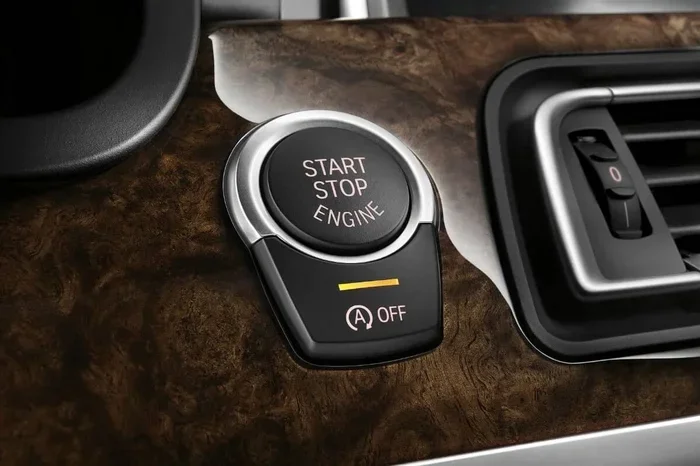
Visual guide about BMW X1 start button closeup
Image source: bimmer-tech.net
1. Enter and Buckle Up
Open the door using the handle (or fob button). Sit down and fasten your seatbelt. The car runs a self-check the moment you open the door. You might hear the fuel pump prime (a faint whirring from the rear) and see the dashboard lights illuminate.
2. Adjust Your Position
Adjust the seat, steering wheel, and mirrors. Ensure you can press the brake pedal fully to the floor without stretching. This is critical because the start sequence requires firm, continuous brake pressure.
3. Press the Brake Pedal Firmly
Place your right foot on the brake pedal. Press down firmly. Do not pump it. Hold it steady. The green “Start/Stop” indicator light on the button or instrument cluster will illuminate, signaling the system is ready for engine crank.
4. Press the Start/Stop Button
While holding the brake, press the Start/Stop button once briefly. Do not hold it down. The starter motor will engage, the engine will fire up, and the RPM needle will rise to a high idle (cold start) or settle near 600-800 RPM (warm).
Pro Tip: In very cold weather (below freezing), the engine may crank slightly longer. This is normal. The DME (Digital Motor Electronics) manages fuel enrichment and ignition timing automatically.
5. Verify “Ready” State
Look at the instrument cluster. The tachometer shows engine speed. The “Ready” indicator (often a green car symbol or text) confirms the drivetrain is active. You can now release the brake pedal (if Auto Hold is on) or shift into Drive (D) or Reverse (R).
6. Common Mistakes to Avoid
- Not pressing the brake hard enough: A light touch activates Accessory mode, not engine start.
- Gear selector not fully in Park: If the shifter isn’t fully seated, the car stays in Accessory mode.
- Key fob left in trunk/frunk: The interior antennas might not detect it if it’s shielded by metal.
- Pressing the button twice quickly: This turns ignition Off then Accessory. Press once, wait.
Emergency Start: Dead Key Fob Battery
This is the number one reason owners get stranded. The key fob battery (CR2032) typically lasts 2-3 years. When it dies, the car cannot “hear” the fob via the normal antennas. However, BMW engineered a backup inductive coupling method. You do not need a physical key blade to start the car (the blade is only for manual door unlocking).
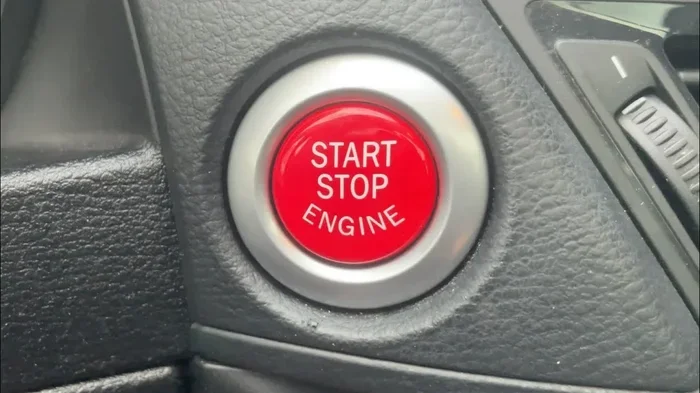
Visual guide about BMW X1 start button closeup
Image source: i.ytimg.com
The “Hold to Steering Column” Method
- Hold the brake pedal down firmly.
- Take the key fob (the back side, usually the side with the BMW roundel logo).
- Press the fob directly against the Start/Stop button or the steering column trim (right next to the button where a key slot used to be on older cars). Look for a small key symbol pictogram on the plastic trim.
- Hold the fob against that spot.
- Press the Start/Stop button with your other hand (or same hand if dexterous).
- The car reads the fob’s passive RFID chip (which needs no battery) inductively. The engine will start.
Replacing the Fob Battery
Do this as soon as possible after a dead battery event. It takes two minutes.
- Press the small release tab on the back of the fob to slide out the metal emergency key blade.
- Use the blade or a small flathead screwdriver to pry open the fob casing at the seam.
- Swap the old CR2032 for a new one (positive side up usually).
- Snap the case shut and reinsert the blade.
If you are unsure about the exact battery type or procedure for your specific fob generation (Diamond shape vs. older rectangle), check our guide on finding the right battery for your BMW key fob for detailed specs.
Troubleshooting: BMW X1 Won’t Start
Turn the key (press the button) and… nothing? Or a click? Or crank but no fire? Here is a logical diagnostic flow.
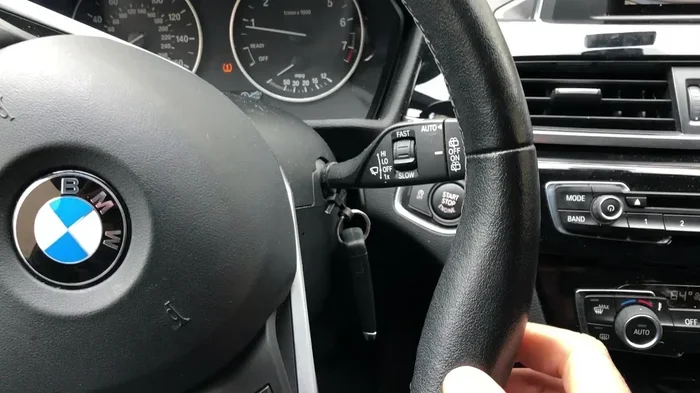
Visual guide about BMW X1 start button closeup
Image source: i.ytimg.com
Scenario A: Total Silence / Dashboard Dead
Cause: Dead 12V main battery.
- Interior lights don’t come on? Battery is flat.
- Jump start using the terminals in the engine bay (Positive: Red cap on battery or jump post; Negative: Ground nut on strut tower or engine block).
- If the battery is 4-5+ years old, replace it. Register the new battery via ISTA/BMW scan tool so the car charges it correctly.
Scenario B: Clicking Sound (Rapid Click-Click-Click)
Cause: Low battery voltage. The starter solenoid engages but lacks amperage to spin the motor.
- Jump start the car.
- Drive for 30+ mins to recharge, or put on a trickle charger.
- Test battery health (load test).
Scenario C: Single Loud “CLUNK” Then Nothing
Cause: Starter motor failure or seized engine (rare).
- Tap the starter motor gently with a hammer while someone presses start (old mechanic trick, works sometimes).
- Check main fuses (Terminal 30, Starter fuse) in the engine bay fuse box.
Scenario D: Cranks Normally But Won’t Fire (Catch)
Cause: Fuel or Spark issue.
- Listen for fuel pump prime (whirr) when opening driver door. No sound = Bad fuel pump, fuse, or relay.
- Could be crankshaft position sensor failure (common on N20/B48 engines when hot).
- Check fuel level (obvious but happens).
Scenario E: “Steering Locked” Message / Wheel Won’t Turn
Cause: Electronic steering column lock (ELV) motor jammed or failed.
- Wiggle the steering wheel left/right firmly while pressing Start/Stop button with brake pressed.
- This relieves mechanical tension on the lock pin.
- If persistent, the ELV motor or control module needs replacement (common on F-chassis).
Scenario F: Drivetrain Malfunction / Check Engine Light
If the car starts but runs rough, or shows a “Drivetrain Malfunction” warning, you have a sensor or mechanical issue. This often puts the car in limp mode. For a deep dive on this specific error, read our article on proven BMW drivetrain malfunction meaning.
Remote Start and Advanced Features
Many X1 models (especially 2020+ U11 and late F48 LCI) support Remote Engine Start. This lets you warm up the cabin in winter or cool it in summer before you get in.
Key Fob Remote Start (If Equipped)
- Ensure car is locked.
- Press the Lock button (BMW roundel) on the fob three times quickly (within 1-2 seconds).
- Parking lights flash; engine starts.
- Run time: Usually 15 minutes (configurable in iDrive).
- To enter: Unlock car, get in, press brake, press Start/Stop button to “take over” driving mode.
Note: This feature is region-dependent and may require activation in iDrive Settings > Doors/Access > Remote Engine Start.
MyBMW App (ConnectedDrive)
If you have active ConnectedDrive services:
- Open the MyBMW app on your smartphone.
- Tap “Remote Engine Start.”
- Confirm via PIN/FaceID.
- Climate control activates at last used setting (or preconditioning setting).
- You can also check door lock status, fuel level, and location.
Digital Key (iPhone/Apple Watch / Android)
Newer U11 models (2023+) support Digital Key Plus (Ultra Wideband). You can leave the physical fob at home. Hold your iPhone/Apple Watch near the door handle to unlock, place it in the wireless charging tray (or just keep it in pocket for UWB), press brake, press start. Share keys via iMessage with family.
Maintenance for Reliable Starts
Prevention is cheaper than a tow truck. Follow these intervals.
12V Battery Health
The 12V battery powers the electronics that allow the start button to work. BMW uses AGM (Absorbent Glass Mat) batteries mostly.
- Test annually after 3 years (load test, not just voltage).
- Replace every 5-6 years proactively.
- Registration: New batteries must be registered to the BMS (Battery Management System) via OBDII scanner (BimmerCode, Carly, ISTA) or dealer. Skipping this kills the new battery fast via over/under charging.
Key Fob Battery
- Replace CR2032 every 2 years or when range drops.
- Keep a spare in the glovebox (inside the foil wrapper).
Brake Light Switch
The brake pedal position sensor tells the car “I’m pressing the brake.” If this fails, the car never enters “Start Engine” mode. It stays in Accessory. Symptom: Brake lights don’t illuminate on dash or rear. Replace switch (cheap, easy DIY on most models).
Fuel Quality
Use Top Tier gasoline (Shell, Chevron, Costco, etc.). Minimum 91 Octane (Premium) recommended for turbo engines (B38, B48). Bad gas causes carbon buildup, rough cold starts, and misfires.
Software Updates
BMW releases ISTA software updates (PUMA cases) that fix cold start roughness, start/stop logic glitches, and ELV locking issues. Ask your dealer or indie shop to check for “Open Campaigns” or “ISTA Updates” during service visits.
Understanding Dashboard Symbols on Startup
When you press Start/Stop (brake pressed), the cluster performs a “Bulb Check.” Every light illuminates for 1-2 seconds. They should all go out (except parking brake, seatbelt if unbuckled, and maybe TPMS if tires low).
If a light stays on, you have an active fault. Red lights = Stop immediately (Oil pressure, Brake system, Coolant temp, Battery/Charging). Yellow lights = Service soon (Check Engine, ABS, DSC, TPMS, Engine Malfunction).
Learning these symbols is vital. For a complete breakdown of every icon, see our essential guide on what do BMW symbols mean.
Critical Startup Lights
| Symbol / Color | Meaning | Action |
|---|---|---|
| Red Oil Can | Low Oil Pressure | STOP ENGINE IMMEDIATELY. Tow required. |
| Red Battery / Alternator | Charging System Fault | Drive short distance to safety (electrics will die soon). Tow preferred. |
| Red Thermometer / Waves | Overheating | STOP ENGINE IMMEDIATELY. Do not open hot cap. |
| Yellow Check Engine (MIL) | Emissions/Engine Fault | Safe to drive moderately. Scan codes ASAP. Flashing = Misfire (Stop). |
| Yellow Circle with Brackets ( ) | Brake Pads Worn | Schedule brake service soon. |
| Yellow Car on Lift / Triangle | General Service Due / Chassis Fault | Check iDrive Service Menu. Could be suspension, steering, or just oil change. |
Quick Tips Cheat Sheet
- Auto Start/Stop: Engine shuts off at lights. Press brake harder or turn steering wheel to restart. Press “A OFF” button (near shifter) to disable for current trip.
- Steering Lock: If wheel is turned hard against curb lock, car won’t start. Wiggle wheel.
- Car Wash Mode: Put in Neutral (N), engine Off. Press Start/Stop without brake. Select N on shifter. Door open allowed. Exit: Press Start/Stop (brake pressed) -> P.
- Jump Start Posts: Under hood. Red + cap. Negative – is hex nut on strut tower (usually marked -). Never connect negative to battery negative terminal directly on AGM batteries in trunk (X1 battery is often in trunk/under floor, but jump posts are under hood).
- Key Fob Water Damage: If washed, open immediately, remove battery, dry 48 hrs in rice/silica. Circuit board corrosion kills it fast.
Expert Insight: The “Double Press” Myth
Many new owners think they need to press the Start button twice: once for “Accessory” and once for “Start.” This is wrong. Pressing twice without the brake pedal turns Accessory ON, then OFF. Pressing twice with the brake pedal starts the engine, then immediately turns it OFF.
Correct logic: Brake Pedal + Single Press = Engine Start. No Brake + Single Press = Accessory. No Brake + Double Press = Ignition Off. Engine Running + Single Press = Engine Stop.
Conclusion
Knowing how to start BMW X1 models correctly saves you time, stress, and potential repair bills. The system is robust, but it demands the right sequence: Foot on brake, fob inside (or held to column if dead), gear in Park, single button press. Master the emergency start procedure for a dead fob today—don’t wait for a rainy night in a dark parking lot to figure it out.
Keep your 12V battery healthy, your key fob battery fresh, and your software updated. Pay attention to the dashboard bulb check; it’s your car talking to you. If you treat the startup ritual with a little mechanical sympathy, your X1 will reward you with years of instant, reliable ignition. Now, buckle up and enjoy the drive.
Frequently Asked Questions
Why does my BMW X1 not start when I push the button?
The most common reasons are not pressing the brake pedal firmly enough, the gear selector not being fully in Park, or a dead key fob battery. Ensure your foot is on the brake, the shifter is in P, and try holding the key fob against the steering column pictogram while pressing the button.
How do I start my BMW X1 if the key fob battery is dead?
Hold the brake pedal down, then press the key fob (logo side) directly against the Start/Stop button or the key symbol on the steering column trim. While holding it there, press the Start/Stop button. The car reads the passive chip inside the fob inductively.
Can I remote start my BMW X1?
Yes, if your model is equipped with Remote Engine Start (standard on many 2020+ models). Press the Lock button (BMW roundel) on the key fob three times rapidly. You can also use the MyBMW smartphone app if you have active ConnectedDrive services.
What does it mean when my BMW X1 clicks but won’t start?
A rapid clicking noise usually indicates a low 12V battery. The starter solenoid tries to engage but lacks the amperage to spin the motor. A single loud clunk suggests a starter motor fault. Jump start the vehicle and have the battery load tested.
Why is my steering wheel locked and the car won’t start?
The electronic steering column lock (ELV) may be jammed under tension. Firmly wiggle the steering wheel left and right while pressing the Start/Stop button with your foot on the brake. This relieves pressure on the locking pin.
Do I need to register a new battery in my BMW X1?
Yes. BMWs with AGM batteries (most X1s) require battery registration via a scan tool (ISTA, BimmerCode, Carly) after replacement. This tells the Battery Management System (BMS) the battery is new, resetting the charging algorithm. Skipping this leads to premature battery failure.